General Integration
Install Seatext on your website by following the instructions below. The installation process is secure, and the AI remains inert until activated, ensuring the integrity of your website's content. Before you can install the script, you need a SEATEXT AI account. If you don't have an account yet, you can create one HERE
If you are using WPEngine please download the WP Engine plugin that enables you to add custom JavaScript code to your pages. Install it and apply it across all your pages.
General Integration
Copy the JavaScript code provided by SEATEXT AI, which can be found in the section below.
SEATEXTCODEINTEGRATION
2 . Paste the code into the designated section of your HTML pages. If you are using a CMS, this section is typically located within the CMS settings under a tab labeled "Custom Code" or similar. If you are building your site from scratch, paste the JavaScript snippet just before the closing "body" tag (</body>) on all your website HTML pages. 3 . You have now successfully installed SEATEXT AI on your website using JavaScript.
Multiple Domains If you need to use SEATEXT AI on multiple domains (e.g., a development domain and a production domain), you must create separate accounts for each domain. Each SEATEXT AI account is linked to a single primary URL. Restrictions and Security Development URLs, such as localhost, are restricted for security reasons. Ensure you use a valid, real domain for these cases. Dynamic development domains may not function properly, as SEATEXT AI might be unable to reliably associate traffic with your account. Using SEATEXT AI on Multiple Websites To use SEATEXT AI on several websites, create one account for each website.
Vacib: Saytınızı bir neçə dəfə ziyarət edin və ya yeniləyin və səhifənizdə ən azı 40 saniyə qalın—bu, AI-nı aktivləşdirəcək və onu hesabınızla bağlayacaq.
Vacib: Veb saytınızın adının bu səhifənin yuxarısında SEATEXT loqosunun yanında görünməsini ən azı beş dəqiqə gözləyin. Bu, veb saytınızın qoşulduğunu və növbəti addıma keçməyə hazır olduğunu göstərir. 10 dəqiqədən sonra səhifənin yuxarısında görməsəniz, dərhal dəstək komandamıza müraciət edin. Bu, platformanızda quraşdırma zamanı problemi göstərə bilər və bizim köməyimizə ehtiyacınız ola bilər.
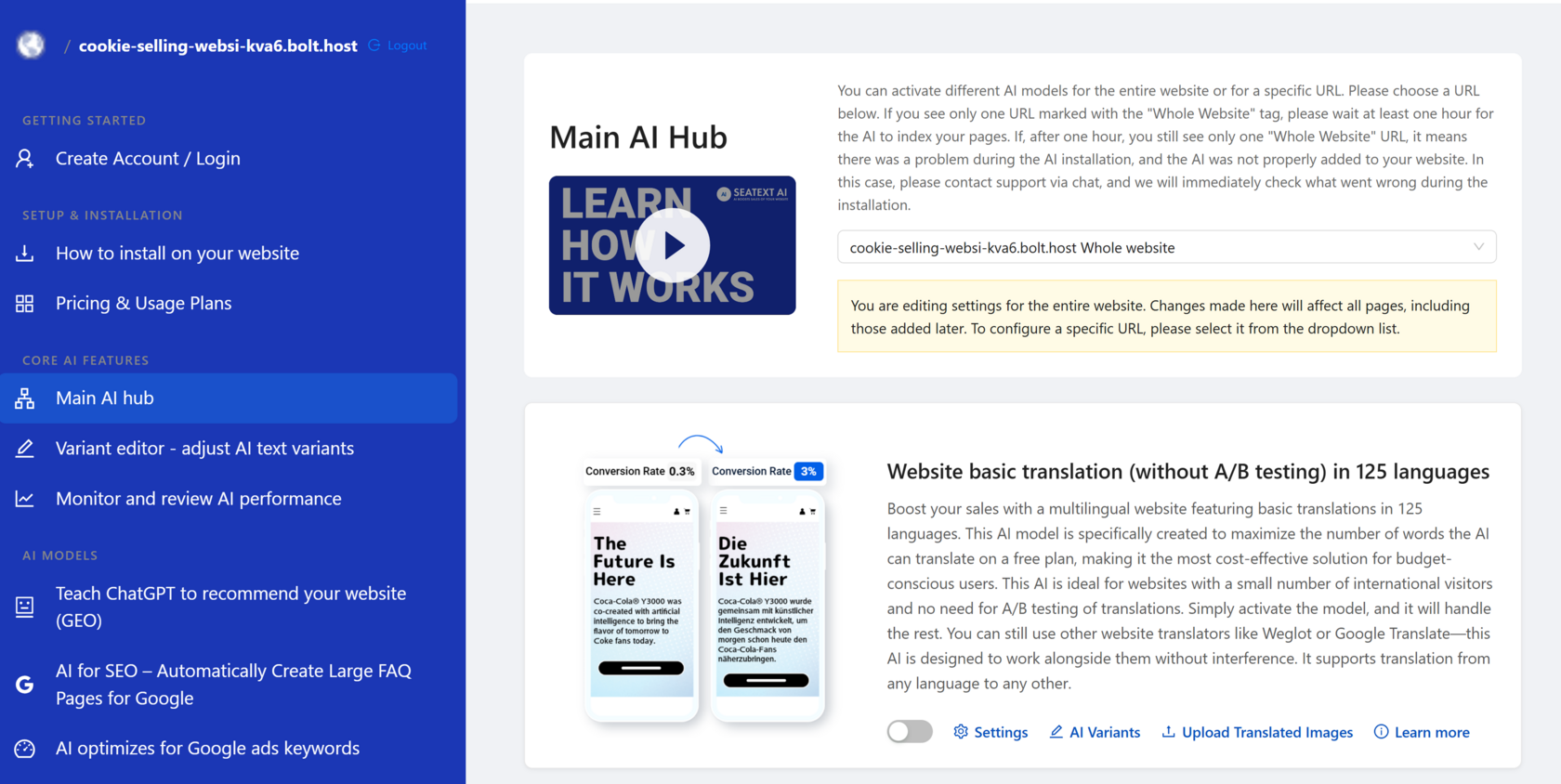
AI-nı Aktivləşdirmək Seçdiyiniz səhifələrdə lazım olan AI-nı aktivləşdirmək üçün Əsas AI Hub-a keçin. AI parametrlərini tənzimləmək üçün "Configuration" düyməsinə basın. İxtiyari Redaktə: SEATEXT AI, test üçün ilk avtomatik tərcümələri və variantları təmin edir. SEATEXT AI hesabınıza daxil olun, sol paneldə "Variants Edit" bölməsinə keçin və redaktə etmək istədiyiniz URL-i və dili seçin. Burada variantlarınız üçün tərcümələri nəzərdən keçirə, yarada və ya əl ilə redaktə edə bilərsiniz.