Integración general
Instala Seatext en tu sitio web siguiendo las instrucciones a continuación. El proceso de instalación es seguro y la IA permanece inactiva hasta que la actives, garantizando la integridad del contenido de tu sitio. Para poder instalar el script necesitas una cuenta de SEATEXT AI. Si aún no tienes una, puedes crearla AQUÍ
Si utiliza WPEngine, descargue el plugin de WP Engine que le permite añadir código JavaScript personalizado a sus páginas. Instálelo y aplíquelo en todas sus páginas.
Integración general
Copie el código JavaScript proporcionado por SEATEXT AI, que se encuentra en la sección siguiente.
INTEGRACIÓN DEL CÓDIGO DE SEATEXT
2 . Paste the code into the designated section of your HTML pages. If you are using a CMS, this section is typically located within the CMS settings under a tab labeled "Custom Code" or similar. If you are building your site from scratch, paste the JavaScript snippet just before the closing "body" tag (</body>) on all your website HTML pages. 3 . You have now successfully installed SEATEXT AI on your website using JavaScript.
Múltiples dominios: si necesitas usar SEATEXT AI en varios dominios (por ejemplo, uno de desarrollo y otro de producción), debes crear una cuenta independiente para cada dominio. Cada cuenta de SEATEXT AI está vinculada a una única URL principal. Las URLs de desarrollo, como localhost, están restringidas por motivos de seguridad; asegúrate de usar un dominio real y válido. Los dominios de desarrollo dinámicos pueden no funcionar correctamente, ya que SEATEXT AI podría no asociar el tráfico de forma fiable a tu cuenta. Uso en varios sitios web: para usar SEATEXT AI en varios sitios, crea una cuenta para cada uno.
Importante: visita o recarga tu sitio varias veces y permanece en la página al menos 40 segundos; así activarás la IA y la vincularás a tu cuenta.
Importante: espera al menos cinco minutos hasta que veas el nombre de tu sitio web junto al logotipo de SEATEXT en la parte superior de esta página. Eso indica que tu sitio está conectado y listo para pasar al siguiente paso. Si no lo ves tras 10 minutos, contacta de inmediato a nuestro equipo de soporte; podría ser un problema de instalación y necesitaremos asistirte.
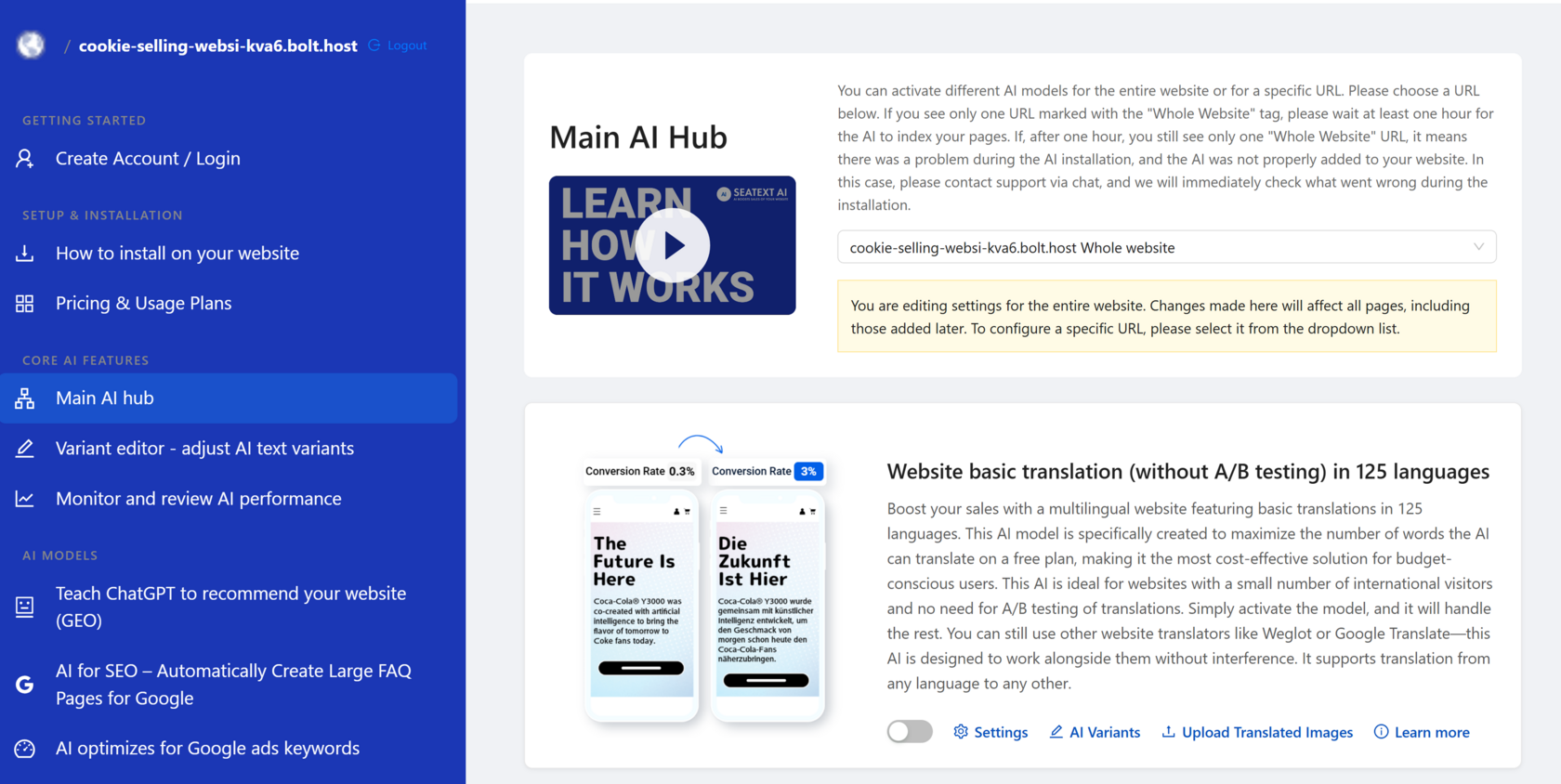
Activación de la IA: Accede al Centro principal de IA para activar la IA necesaria en tus páginas preferidas. Haz clic en “Configuración” para ajustar los parámetros de la IA. Edición opcional: SEATEXT AI ofrece una primera ronda de traducciones y variantes automáticas para pruebas. Inicia sesión en tu cuenta de SEATEXT AI, ve a “Edición de variantes” en el panel izquierdo y selecciona la URL y el idioma que deseas editar. Aquí podrás revisar, crear o editar manualmente las traducciones de tus variantes.
