Carrd-asennus
Carrd-integraatio
Mukautetun koodin asentamiseen Carrd-sivustolle tarvitset Pro Standard -tilauksen tai korkeamman.
Carrd-integraatio
Mukautetun koodin asentamiseen Carrd-sivustolle tarvitset Pro Standard -tilauksen tai korkeamman.
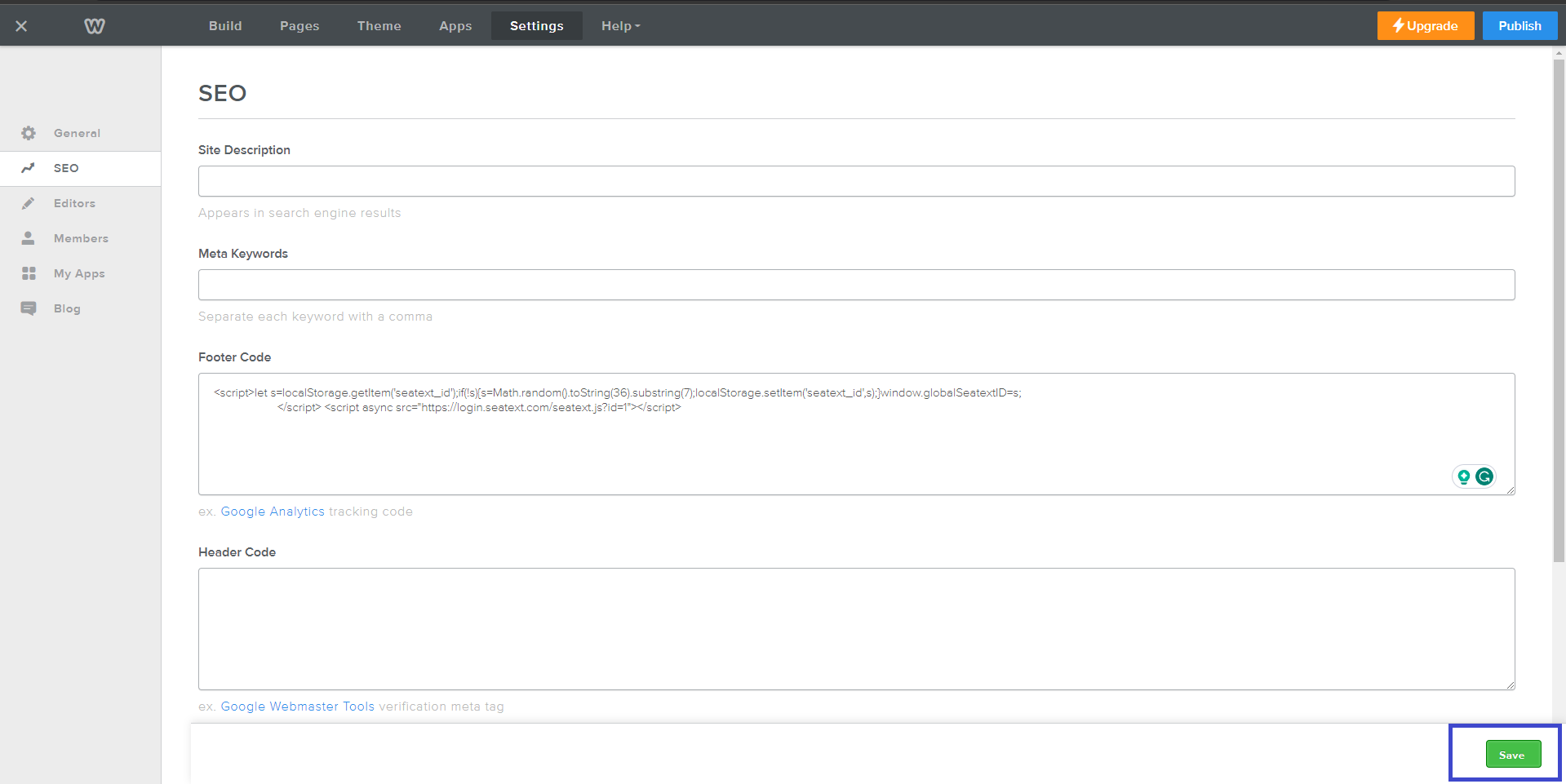
Kopioi SEATEXT AI:n tarjoama JavaScript‑koodi, joka löytyy alla olevasta osiosta.
Vaiheittainen integraatio
1
Kopioi SEATEXT AI:n tarjoama JavaScript‑koodi, joka löytyy alla olevasta osiosta.
Vaiheittainen integraatio
1
SEATEXTCODEINTEGRATION
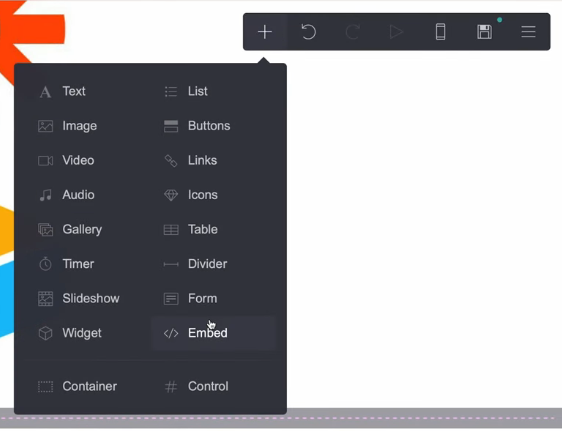
Avaa verkkosivustosi editori ja siirry haluamallesi sivulle, johon haluat integroida SEATEXT AI:n. Napsauta “+ Lisää elementti” ja valitse “Upotus” tarjotuista vaihtoehdoista.
Olet nyt asentanut SEATEXT AI:n verkkosivullesi JavaScriptin avulla.
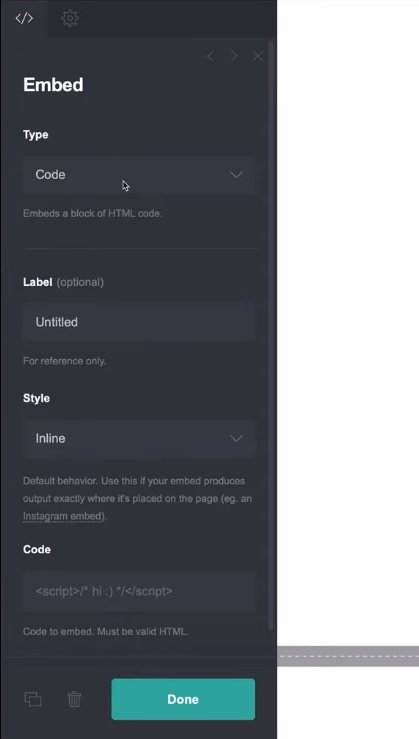
Vasemman paneelin valikosta etsi “Tyyppi” ja valitse pudotusvalikosta “Koodi”. Aseta upotuksen “Tyyli” kohtaan “Piilotettu” saumattoman integraation varmistamiseksi. Liitä SEATEXT AI:n tarjoama koodinpätkä “Koodi”-kenttään. Kun koodi on lisätty, napsauta “Valmis” tallentaaksesi muutokset.
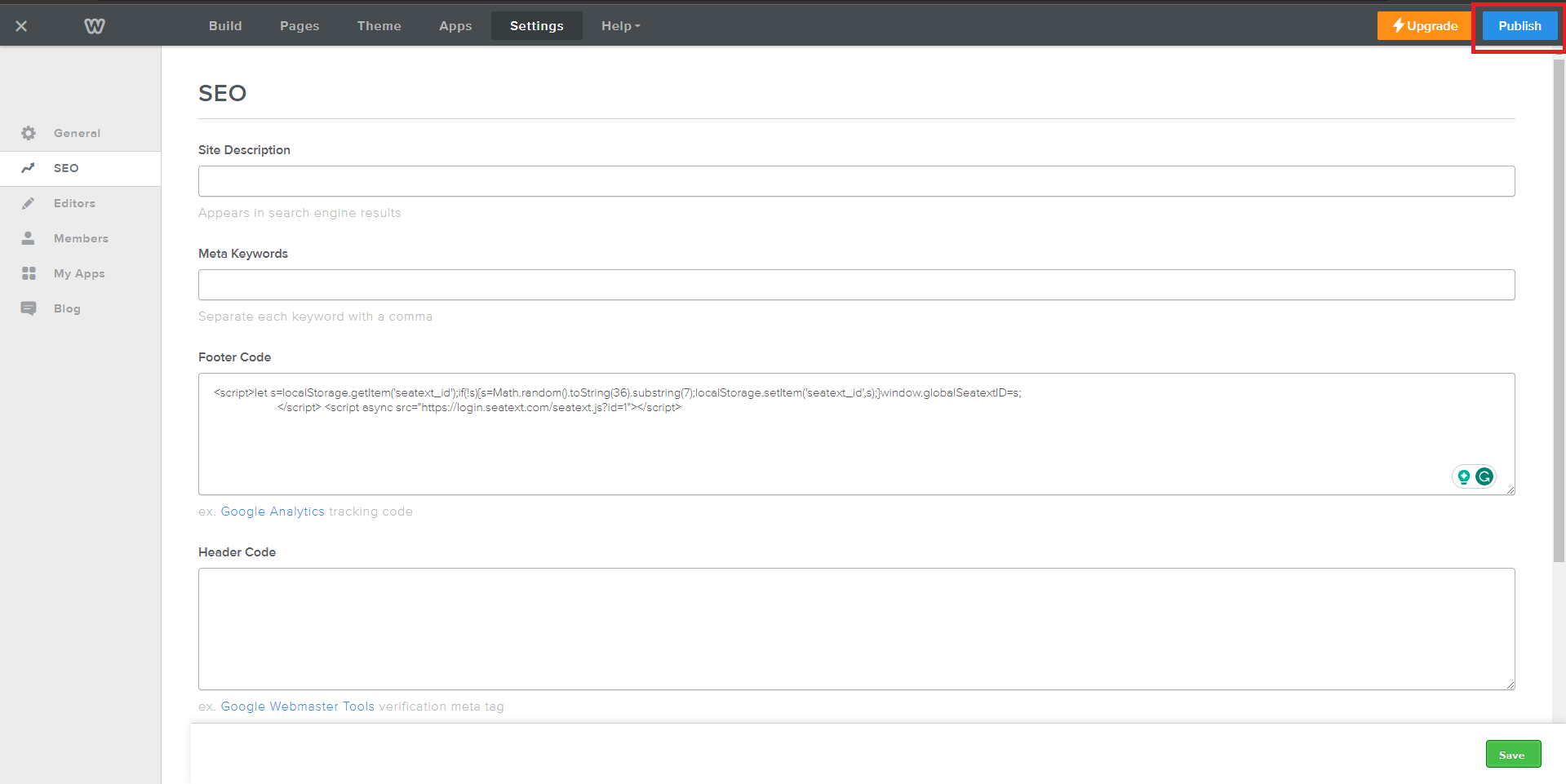
Lopuksi napsauta “Tallenna” ottaaksesi integraation käyttöön ja lisätäksesi SEATEXT AI:n Carrd-sivustollesi.
Avaa verkkosivustosi editori ja siirry haluamallesi sivulle, johon haluat integroida SEATEXT AI:n. Napsauta “+ Lisää elementti” ja valitse “</> Upotus” tarjotuista vaihtoehdoista.
Olet nyt asentanut SEATEXT AI:n verkkosivullesi JavaScriptin avulla.
Lopuksi napsauta “Tallenna” ottaaksesi integraation käyttöön ja lisätäksesi SEATEXT AI:n Carrd-sivustollesi.
Vasemman paneelin valikosta etsi “Tyyppi” ja valitse pudotusvalikosta “Koodi”. Aseta upotuksen “Tyyli” kohtaan “Piilotettu” saumattoman integraation varmistamiseksi. Liitä SEATEXT AI:n tarjoama koodinpätkä “Koodi”-kenttään. Kun koodi on lisätty, napsauta “Valmis” tallentaaksesi muutokset.

SEATEXT AI:n liittäminen verkkosivullesi
2
SEATEXT AI:n liittäminen verkkosivullesi
2
a. Lisää alla olevaan lomakkeeseen verkkosivustosi osoite muodossa (www.example.com). SEATEXTURLPUSH
c. Odota vähintään viisi minuuttia, kunnes näet verkkosivusi nimen SEATEXT‑logon vieressä sivun yläosassa. Tämä kertoo, että sivusi on yhdistetty ja valmis seuraavaan vaiheeseen. Jos et näe nimeä kymmenen minuutin kuluttua, ota heti yhteyttä tukitiimiimme – se voi merkitä asennusongelmaa, ja saatamme tarvita apua.
TÄRKEÄÄ b. Vieraile verkkosivullasi kerran ja pysy sivulla vähintään 40 sekuntia – näin aktivoit AI:n ja liität sen tiliisi.
a. Lisää alla olevaan lomakkeeseen verkkosivustosi osoite muodossa (www.example.com). SEATEXTURLPUSH
TÄRKEÄÄ b. Vieraile verkkosivullasi kerran ja pysy sivulla vähintään 40 sekuntia – näin aktivoit AI:n ja liität sen tiliisi.
c. Odota vähintään viisi minuuttia, kunnes näet verkkosivusi nimen SEATEXT‑logon vieressä sivun yläosassa. Tämä kertoo, että sivusi on yhdistetty ja valmis seuraavaan vaiheeseen. Jos et näe nimeä kymmenen minuutin kuluttua, ota heti yhteyttä tukitiimiimme – se voi merkitä asennusongelmaa, ja saatamme tarvita apua.

AI:n aktivointi
3
AI:n aktivointi
3
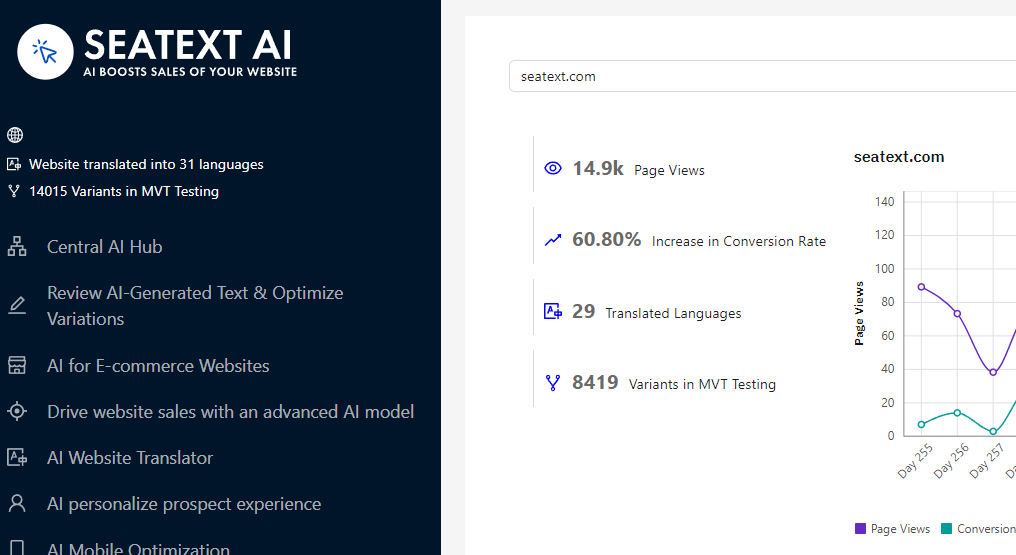
Siirry Main AI Hubiin aktivoidaksesi haluamillesi sivuille tarvittavat AI-työkalut. Napsauta "Configuration" säätääksesi AI‑asetuksia. Valinnainen muokkaus: SEATEXT AI tarjoaa automaattisesti luodut käännökset ja variantit testattavaksi. Kirjaudu SEATEXT AI -tilillesi, avaa vasemmasta paneelista "Variants Edit" ja valitse muokattava URL sekä kieli. Täällä voit tarkastella, luoda tai muokata käännöksiä manuaalisesti.
Siirry Main AI Hubiin aktivoidaksesi haluamillesi sivuille tarvittavat AI-työkalut. Napsauta "Configuration" säätääksesi AI‑asetuksia. Valinnainen muokkaus: SEATEXT AI tarjoaa automaattisesti luodut käännökset ja variantit testattavaksi. Kirjaudu SEATEXT AI -tilillesi, avaa vasemmasta paneelista "Variants Edit" ja valitse muokattava URL sekä kieli. Täällä voit tarkastella, luoda tai muokata käännöksiä manuaalisesti.
