Squarespace integráció
Telepítse a SEATEXT AI-t weboldalára az alábbi utasítások szerint. A telepítés biztonságos, és az AI inaktív marad az aktiválásig, így weboldala tartalma sértetlen marad. A szkript telepítéséhez SEATEXT AI fiók szükséges. Ha még nincs fiókja, ITT létrehozhat egyet.
Squarespace integráció
Lépésről lépésre integráció
Másolja ki a SEATEXT AI JavaScript kódját az alábbi szakaszból.
SEATEXT KÓD INTEGRÁCIÓ
Illeszd be a Seatext JavaScript kódját a weboldaladra. Nyisd meg a Squarespace irányítópultot, és keresd meg a weboldal panelt. Kattints a három pont ikonra, és válaszd a „Settings” lehetőséget.
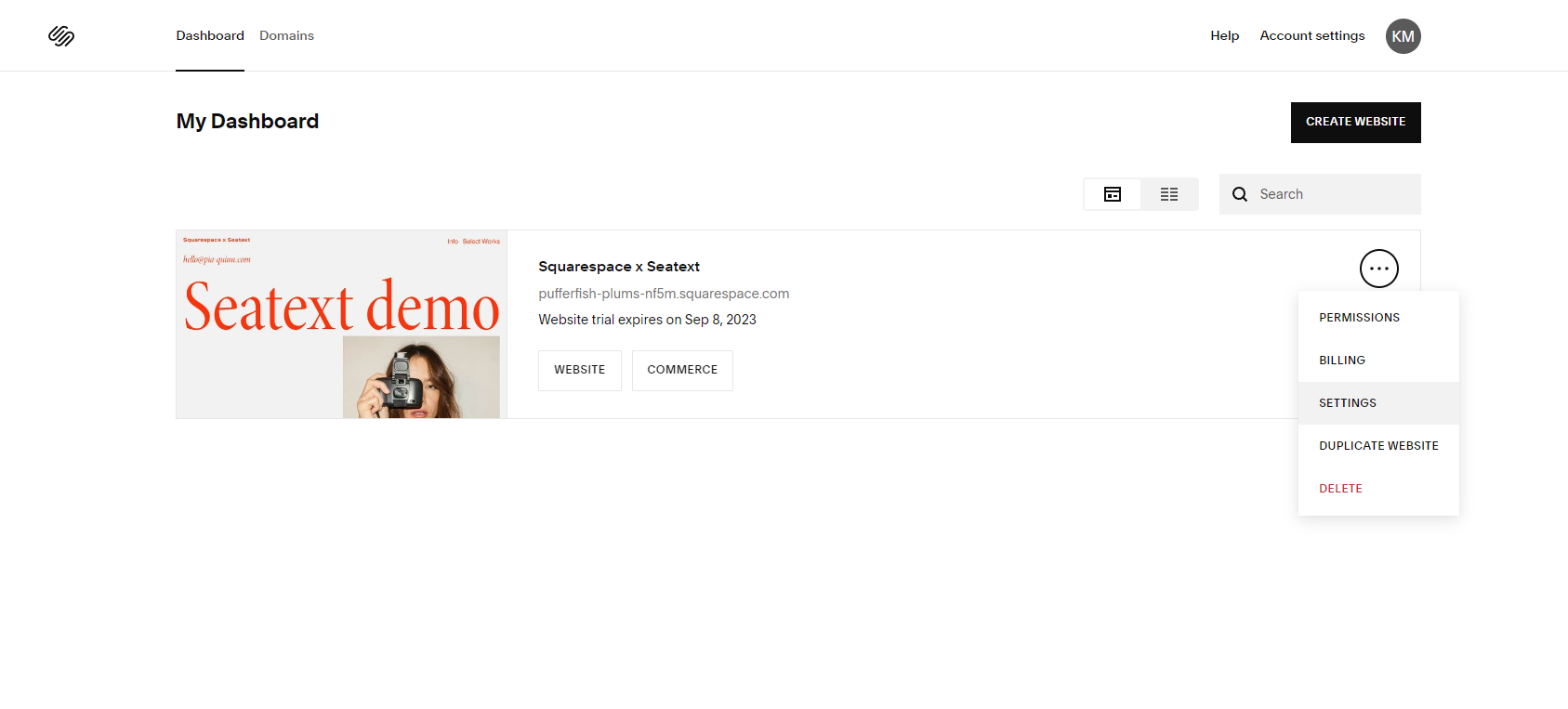
A weboldal beállításaiban lépjen a Developer Tools szakaszhoz (az oldal legalsó részén található).
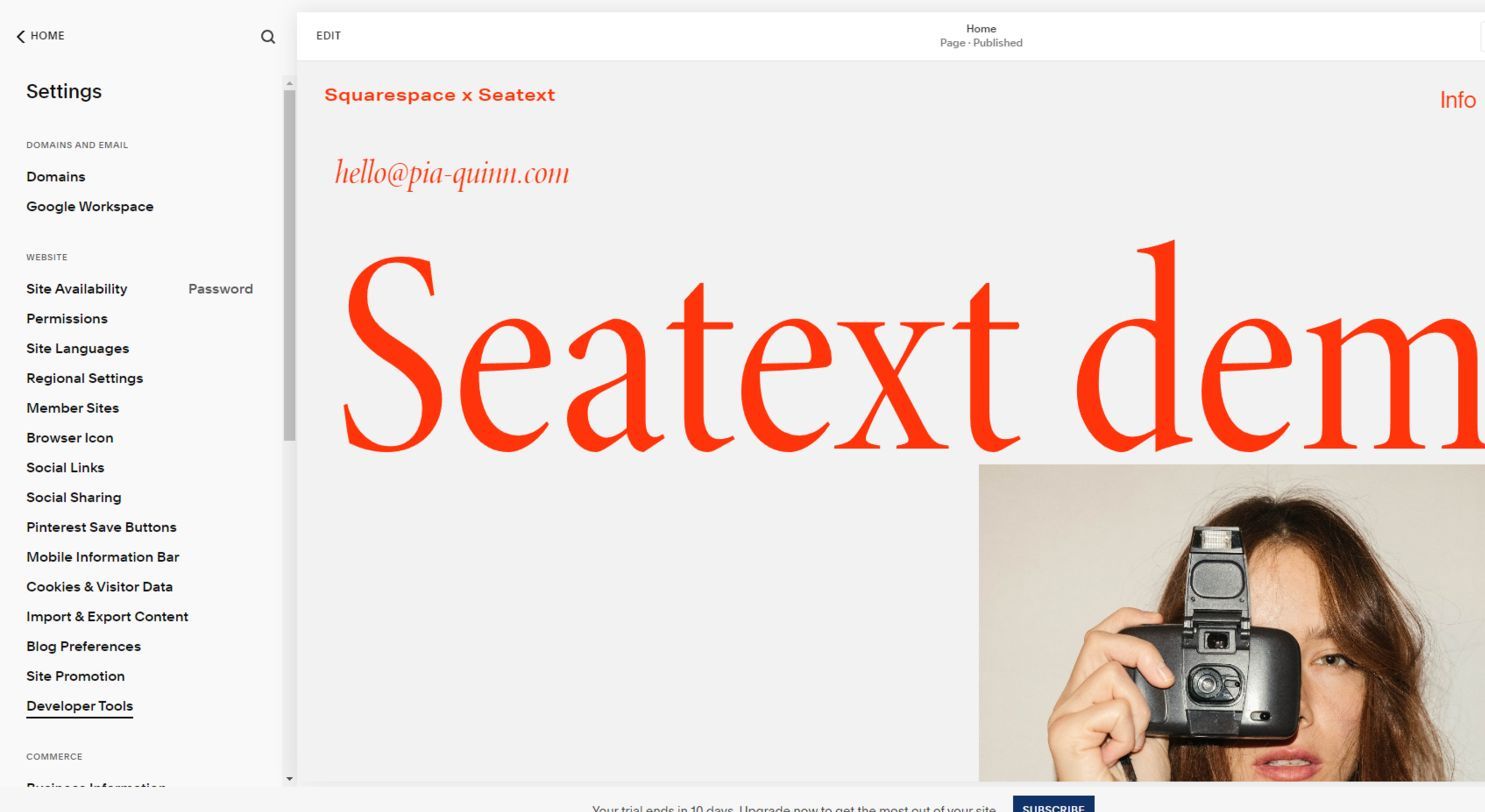
Kattintson a „Code Injection” gombra a kódrészletek beszúrására szolgáló terület eléréséhez.
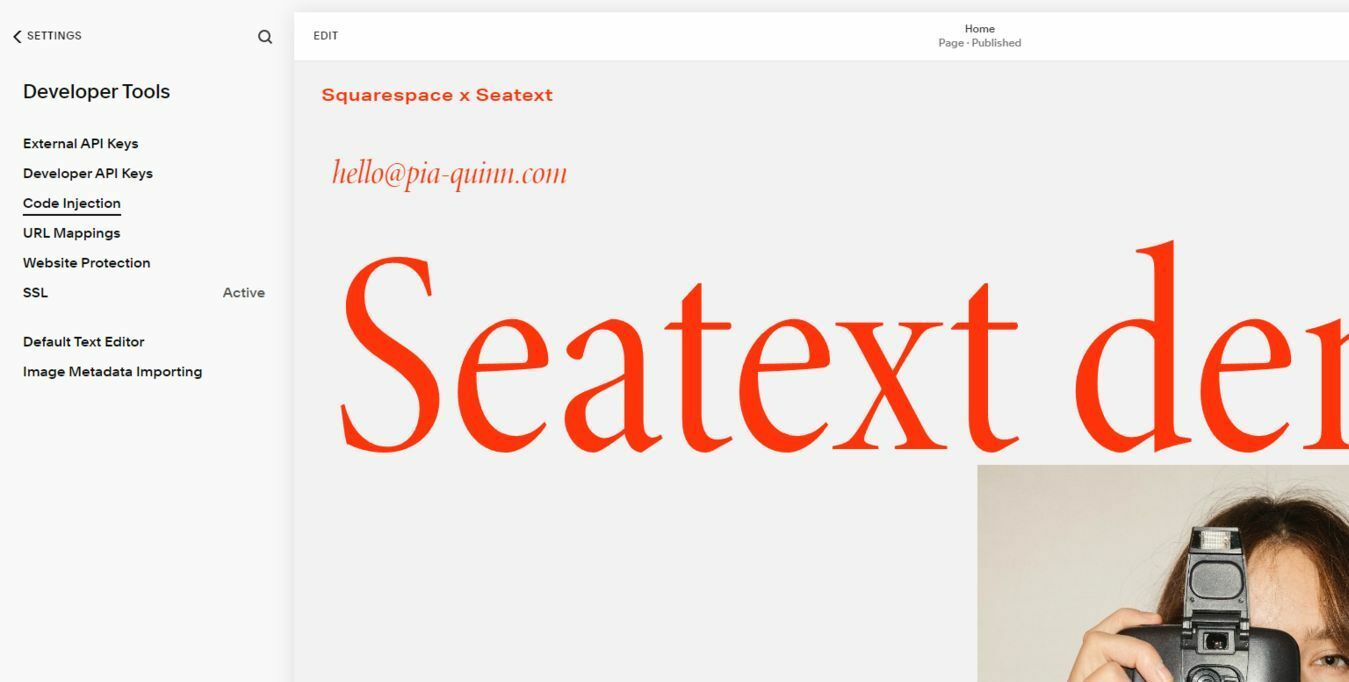
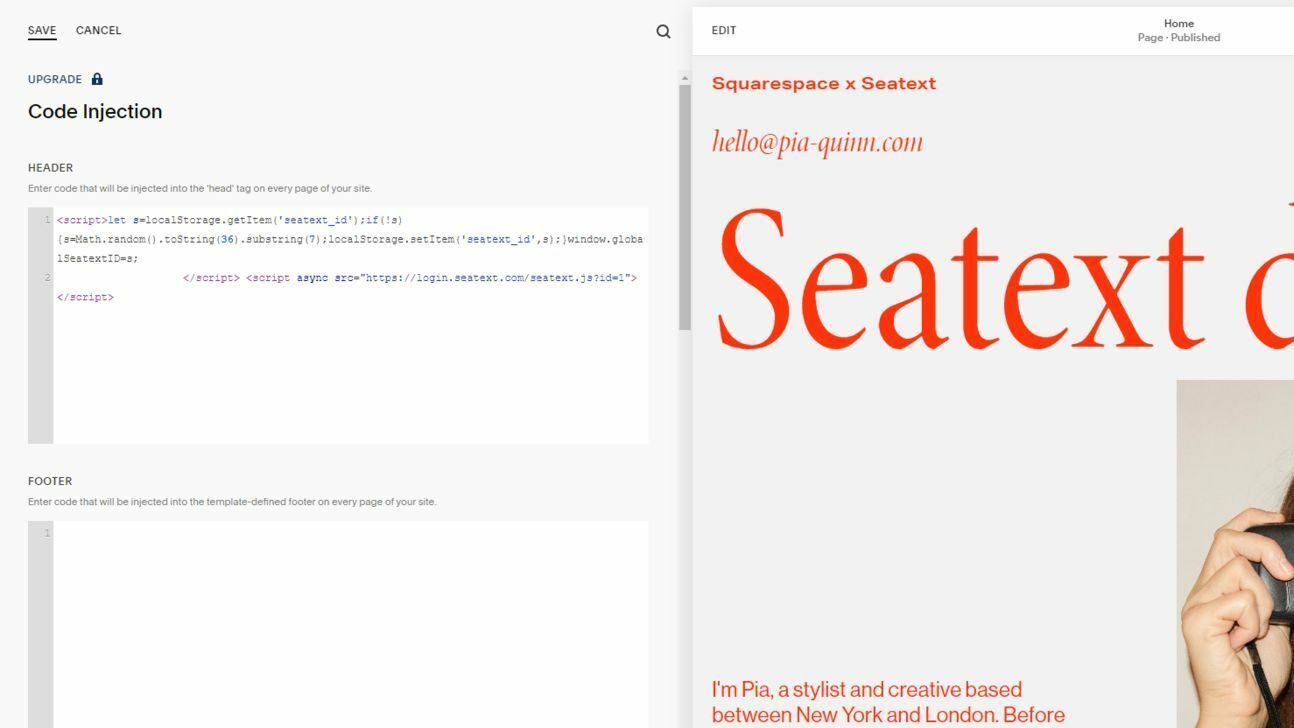
Illessze be a megadott JavaScript kódrészletet a kijelölt HEADER területre. A kód sikeres beszúrása után kattintson a „Save” gombra a módosítások mentéséhez. Győződjön meg róla, hogy weboldala közzé van téve, így a módosítások érvénybe lépnek.
Több domain Ha a SEATEXT AI-t több domainen (pl. fejlesztői és éles domainen) szeretné használni, minden domainhez külön fiókot kell létrehoznia. Minden SEATEXT AI fiók egyetlen elsődleges URL-hez kapcsolódik. Korlátozások és biztonság A fejlesztői URL-ek, mint a localhost, biztonsági okokból korlátozottak. Ilyen esetekben érvényes, valós domainet használjon. A dinamikus fejlesztői domainek nem feltétlenül működnek megfelelően, mert a SEATEXT AI nem biztos, hogy megbízhatóan társítja a forgalmat a fiókjához. A SEATEXT AI használata több weboldalon Ha a SEATEXT AI-t több weboldalon szeretné használni, hozzon létre egy fiókot minden weboldalhoz.
Fontos: Látogassa meg vagy frissítse weboldalát többször, és maradjon az oldalon legalább 40 másodpercig – ez aktiválja az AI-t és összekapcsolja a fiókjával.
Fontos: Várjon legalább öt percet, amíg a weboldal neve megjelenik a SEATEXT logó mellett az oldal tetején. Ez jelzi, hogy a weboldal csatlakozott, és készen áll a következő lépésre. Ha 10 perc után sem látja az oldal tetején, azonnal lépjen kapcsolatba a támogató csapatunkkal. Ez telepítési problémát jelezhet a platformján, és szüksége lehet a segítségünkre.
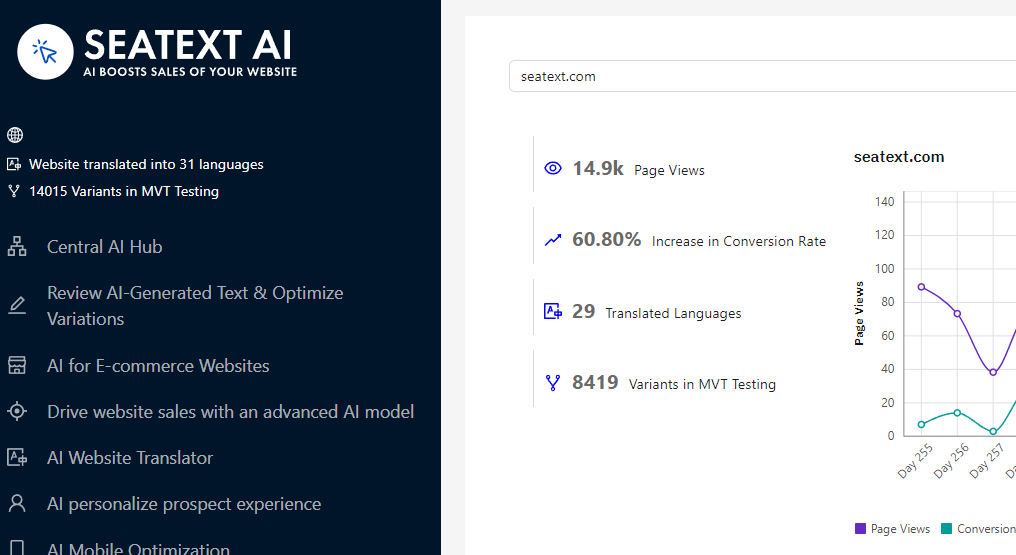
AI aktiválása: Lépjen a Main AI Hub felületre, és aktiválja a kívánt oldalakon a szükséges AI-t. Kattintson a „Configuration” gombra az AI paraméterek beállításához. Opcionális szerkesztés: A SEATEXT AI biztosítja az automatikus fordítások és változatok első körét tesztelés céljából. Jelentkezzen be SEATEXT AI fiókjába, nyissa meg a „Variants Edit” menüt a bal oldali panelen, és válassza ki a szerkeszteni kívánt URL-t és nyelvet. Itt áttekintheti, létrehozhatja vagy manuálisan szerkesztheti a változatai fordításait.
