Shopify Integration
ಕಳಗನ ಸಚನಗಳನನ ಅನಸರಸ ನಮಮ ವಬಸಟನಲಲ Seatext ಅನನ ಸಥಪಸ. ಸಥಪನ ಪರಕರಯ ಸರಕಷತ이며, AI ಸಕರಯಗಳಳವವರಗ ನಷಕರಯವಗರತತದ, ಇದರದ ನಮಮ ವಬಸಟ ವಷಯದ ಅಖಡತಯನನ ಖಚತಪಡಸತತದ. ಸಕರಪಟ ಅನನ ಸಥಪಸವ ಮದಲ, ನಮಗ SEATEXT AI ಖತ ಬಕ. ಇನನ ಖತ ಇಲಲದದದರ, ನವ ಇದನನ ಇಲಲ ರಚಸಬಹದ.
Shopify Integration
ಹತ ಹತದ ಏಕಕರಣ
ಕಳಗನ ವಭಗದಲಲ ಕಣವ SEATEXT AI ನ ಜವಸಕರಪಟ ಕಡ ಅನನ ನಕಲಸ.
SEATEXTCODEINTEGRATION
Access your Shopify account and navigate to the “Online Store” section. From there, select “Themes”.
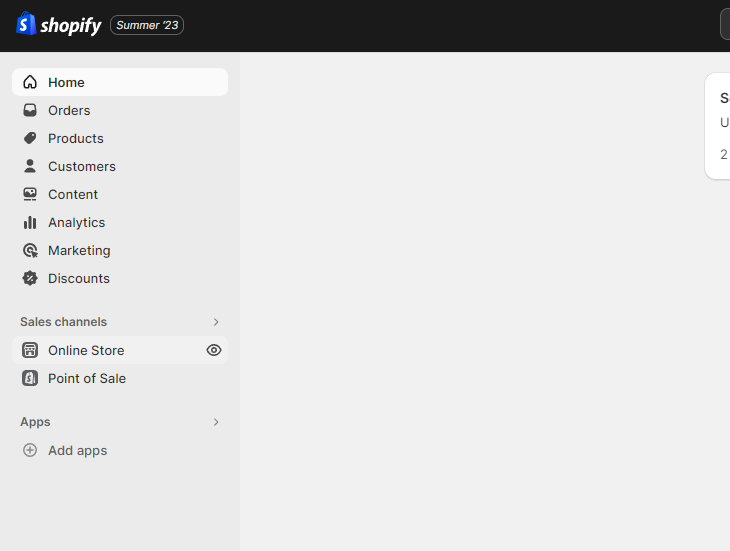
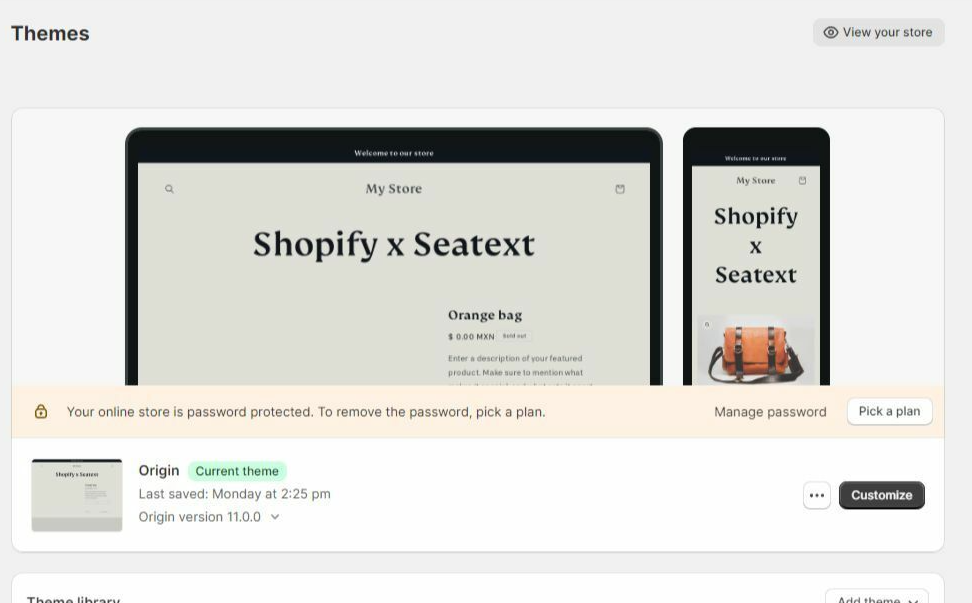
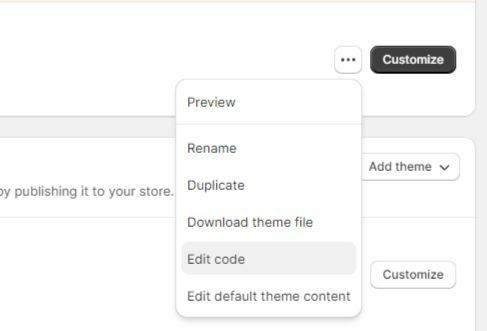
Within the Themes section, locate the theme you wish to translate. Click on the three dots icon located next to the desired theme and select “Edit code”.
On the Edit Code page, you will be presented with a list of files on the left side of the screen. Navigate to the “Layout” folder and locate the file named “theme.liquid”.
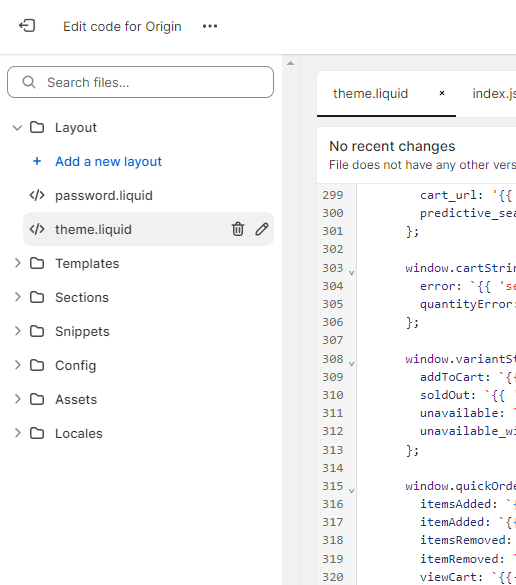
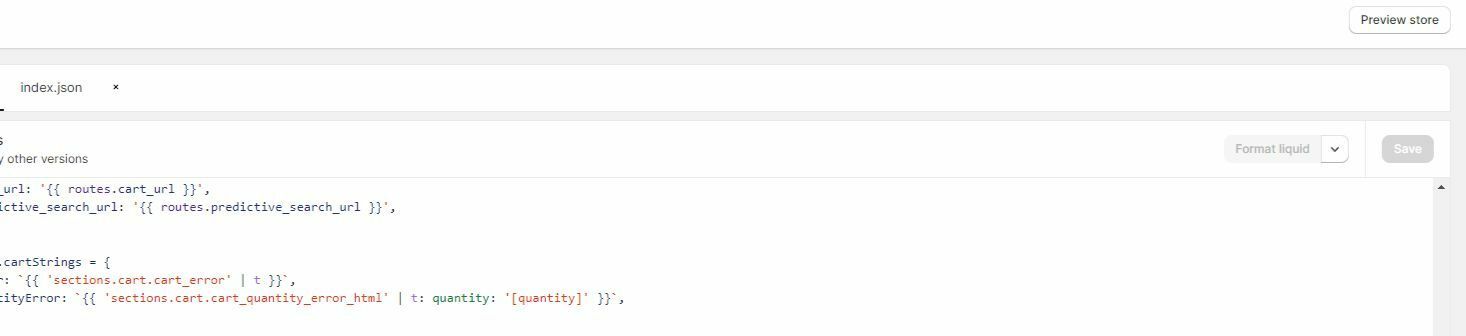
Within the theme.liquid file, scroll down to the bottom of the code. Here, you will find the closing </body> tag. Paste the JavaScript code snippet provided by SEATEXT AI directly above the closing </body> tag.


Once the code snippet has been successfully pasted, click on the “Save” button to preserve your changes.
ಬಹ ಡಮನಗಳ: ನವ SEATEXT AI ಅನನ ಅನಕ ಡಮನಗಳಲಲ (ಉದಹರಣಗ, ಅಭವದಧ ಡಮನ ಮತತ ಉತಪದನ ಡಮನ) ಬಳಸಬಕದರ, ಪರತ ಡಮನಗಗ ಪರತಯಕ ಖತಗಳನನ ರಚಸಬಕ. ಪರತ SEATEXT AI ಖತ ಒದ ಪರಥಮಕ URL ಗ ಲಕ ಆಗರತತದ. ಅಭವದಧ URLಗಳ, ಉದಹರಣಗ localhost, ಭದರತ ಕರಣಗಳದ ನರಬಧತವಗವ. ಈ ಸದರಭಗಳಲಲ ಮನಯ, ನಜ ಡಮನ ಅನನ ಬಳಸವತ ಖಚತಪಡಸಕಳಳ. ಡನಮಕ ಅಭವದಧ ಡಮನಗಳ ಸರಯಗ ಕರಯನರವಹಸದರಬಹದ, ಏಕದರ SEATEXT AI ನಮಮ ಖತಗ ಟರಫಕ ಅನನ ವಶವಸರಹವಗ ಸಯಜಸಲ ಸಧಯವಗದ ಇರಬಹದ. ಬಹ ವಬಸಟಗಳಲಲ SEATEXT AI ಬಳಕ: ಹಲವರ ವಬಸಟಗಳಲಲ SEATEXT AI ಅನನ ಬಳಸಲ, ಪರತ ವಬಸಟಗ ಒದ ಖತ ರಚಸ.
ಮಖಯ: ನಮಮ ವಬಸಟ ಅನನ ಹಲವರ ಬರ ಭಟ ನಡ ಅಥವ ರಫರಶ ಮಡ,ಕನಷಠ 40 ಸಕಡಗಳ ಕಲ ಪಟದಲಲ ಉಳಯರ—ಇದ AI ಅನನ ಸಕರಯಗಳಸ ನಮಮ ಖತಗ ಲಕ ಮಡತತದ.
ಮಖಯ: ಕನಷಠ ಐದ ನಮಷ ಕಯರ, ನಮಮ ವಬಸಟ ಹಸರ ಈ ಪಟದ ಮಲಭಗದಲಲ SEATEXT ಲಗ ಪಕಕದಲಲ ಕಣವವರಗ. ಇದ ನಮಮ ವಬಸಟ ಸಪರಕಗಡದ ಮತತ ಮದನ ಹತಕಕ ಸಗಲ ಸದಧವಗದ ಎದ ಸಚಸತತದ. ನವ 10 ನಮಷಗಳ ನತರವ ಮಲಭಗದಲಲ ಇದನನ ನಡದದದರ, ದಯವಟಟ ತಕಷಣ ನಮಮ ಬಬಲ ತಡವನನ ಸಪರಕಸ. ಇದ ನಮಮ ಪಲಟಫರಮನಲಲ ಸಥಪನಯ ಸಮಯದಲಲ ಸಮಸಯ ಉಟಗದ ಎದ ಸಚಸಬಹದ, ಮತತ ನಮಗ ನಮಮ ಸಹಯ ಅಗತಯವಗಬಹದ.
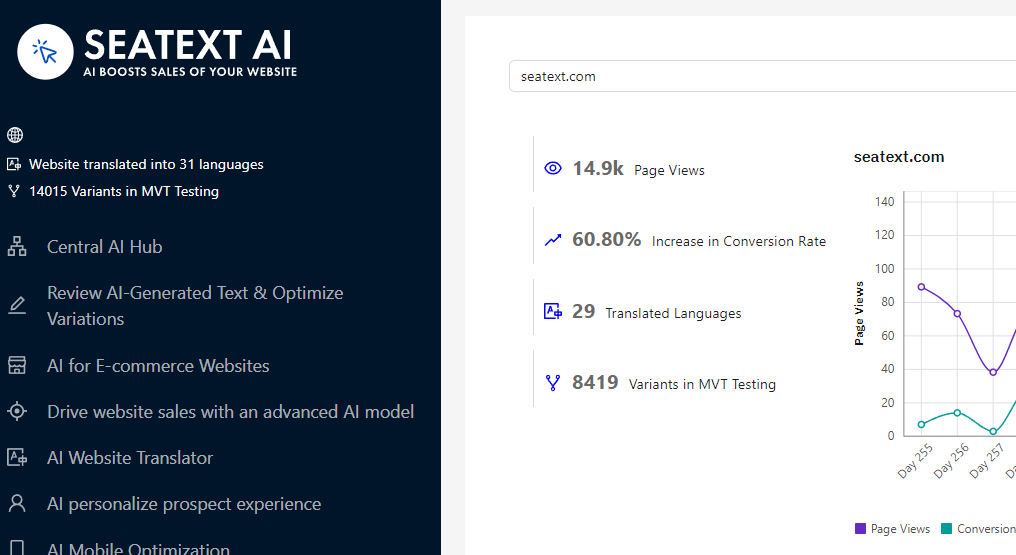
AI ಅನನ ಸಕರಯಗಳಸವದ: ಮಖಯ AI ಹಬಗ ಹಗ ನಮಮ ಇಷಟದ ಪಟಗಳಲಲ ಅಗತಯ AI ಅನನ ಸಕರಯಗಳಸ. “Configuration” ಮಲ ಕಲಕ ಮಡ AI ಪರಮಣಗಳನನ ಸರಹದಸ. ಆಯಕಯ ಸಪದನ: SEATEXT AI ನಮಮ ಪರಥಮಕ ಸವಯಚಲತ ಅನವದಗಳ ಮತತ ಪರಕಷ ವರಗಕರಣಗಳನನ ಒದಗಸತತದ. ನಮಮ SEATEXT AI ಖತಗ ಲಗನ ಆಗ, ಎಡ ಪಯನಲನಲಲ “Variants Edit” ಗ ಹಗ, ನವ ಸಪದಸಲ ಬಯಸವ URL ಮತತ ಭಷಯನನ ಆಯಕಮಡ. ಇಲಲ, ನವ ನಮಮ ವರಗಕರಣಗಳ ಅನವದಗಳನನ ಪರಶಲಸಬಹದ, ರಚಸಬಹದ, ಅಥವ ಕಯರ ಸಪದಸಬಹದ.
Implement the seatextonly Tag in Your Product Descriptions To optimize your product descriptions effectively, please follow these steps: Step 1: Access Your Shopify Theme Code Log in to your Shopify admin and navigate to Online Store > Themes . Click on Actions > Edit Code for your active theme. Step 2: Locate the Product Template Identify the file that renders the product description (typically named product.liquid or located within product-template.liquid ). Step 3: Wrap the Product Description Find the product description output code, which usually appears as:
{{ product.description }}
Modify this code to wrap it in a <div> with the data-seatextonly attribute as follows:
<div data-seatextonly> {{ product.description | raw }} </div>
Step 4: Test Your Changes Save your changes and preview a product page to ensure the description is displayed correctly. Verify that the data-seatextonly attribute is present in the HTML source (you can inspect this using your browser’s developer tools). For additional details, please refer to our documentation here: https://seatext.com/documentation-ai-scope
