Integracja z WordPressem
Install Seatext on your website by following the instructions below. The installation process is secure, and the AI remains inert until activated, ensuring the integrity of your website's content. Before you can install the script, you need a SEATEXT AI account. If you don't have an account yet, you can create one HERE
Integracja z WordPressem
Integracja krok po kroku
Skopiuj kod Javascript ze SEATEXT AI, który appears w poniższej sekcji.
SEATEXTCODEINTEGRATION
The recommended way to install SEATEXT AI on your website is by using the Headers and Footers by WPBeginner plugin. This will allow you to easily add code snippets to your WordPress site.
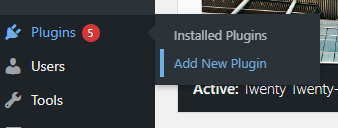
Przejdź do panelu administracyjnego swojej witryny WordPress i kliknij „Wtyczki”, a następnie „Dodaj nową”.
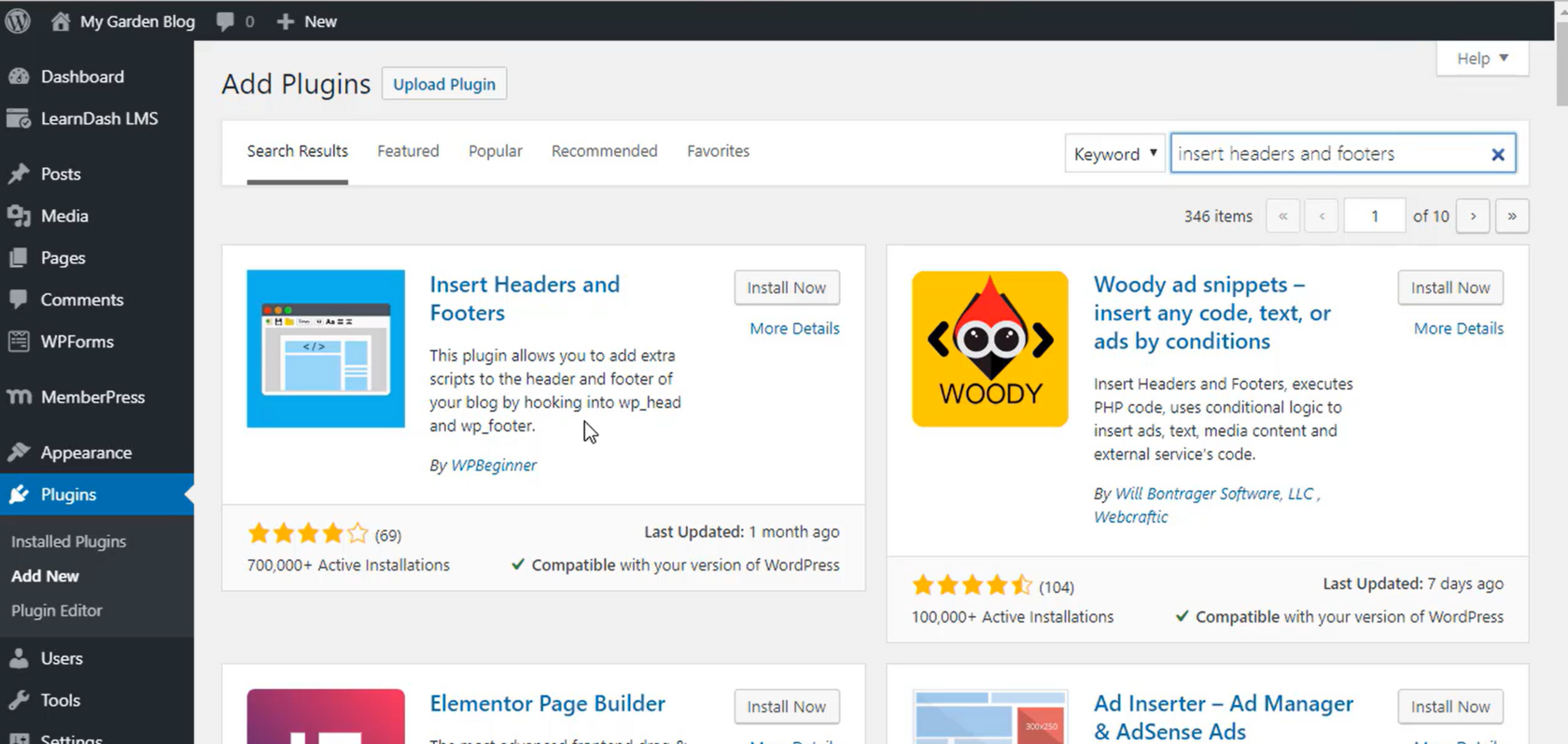
2 . Wyszukaj „Insert Headers and Footers” i zainstaluj wtyczkę.
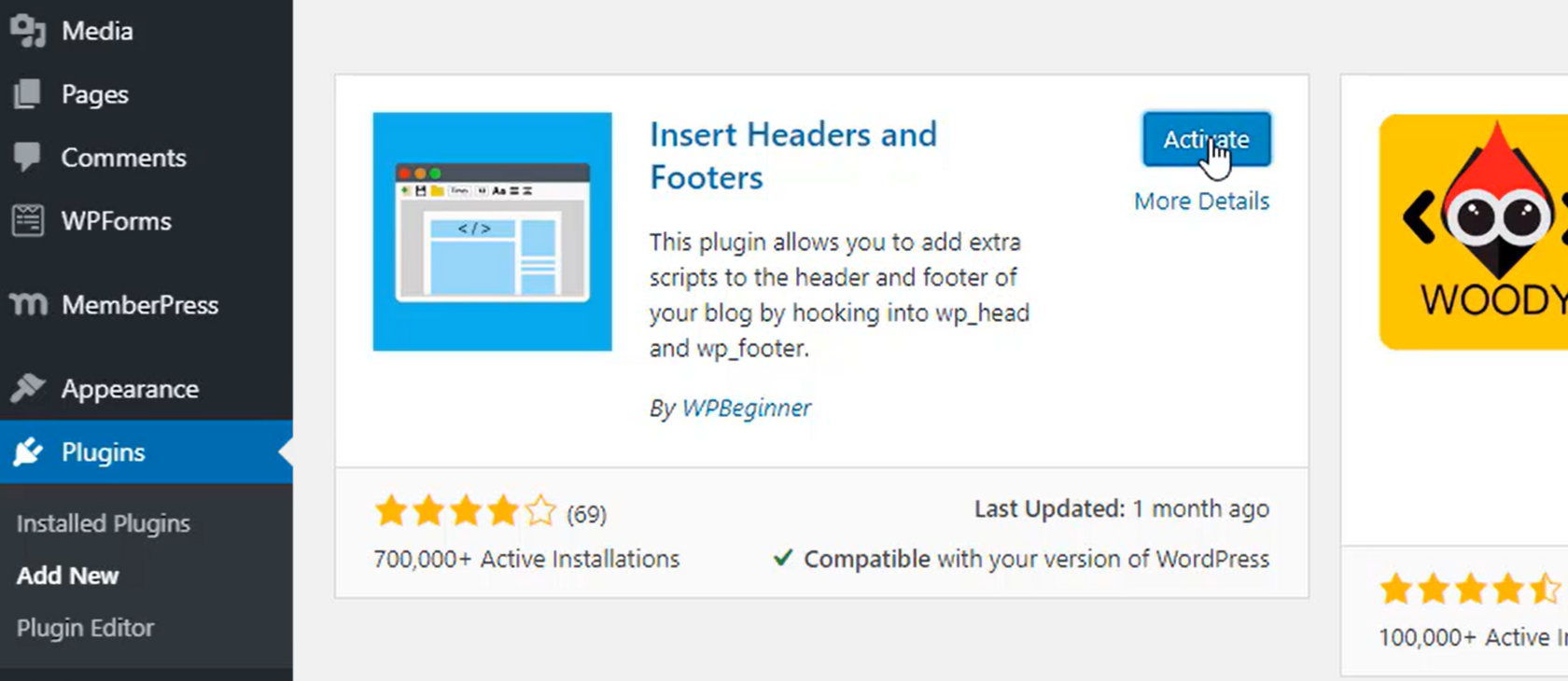
3 . Po zainstalowaniu aktywuj wtyczkę.
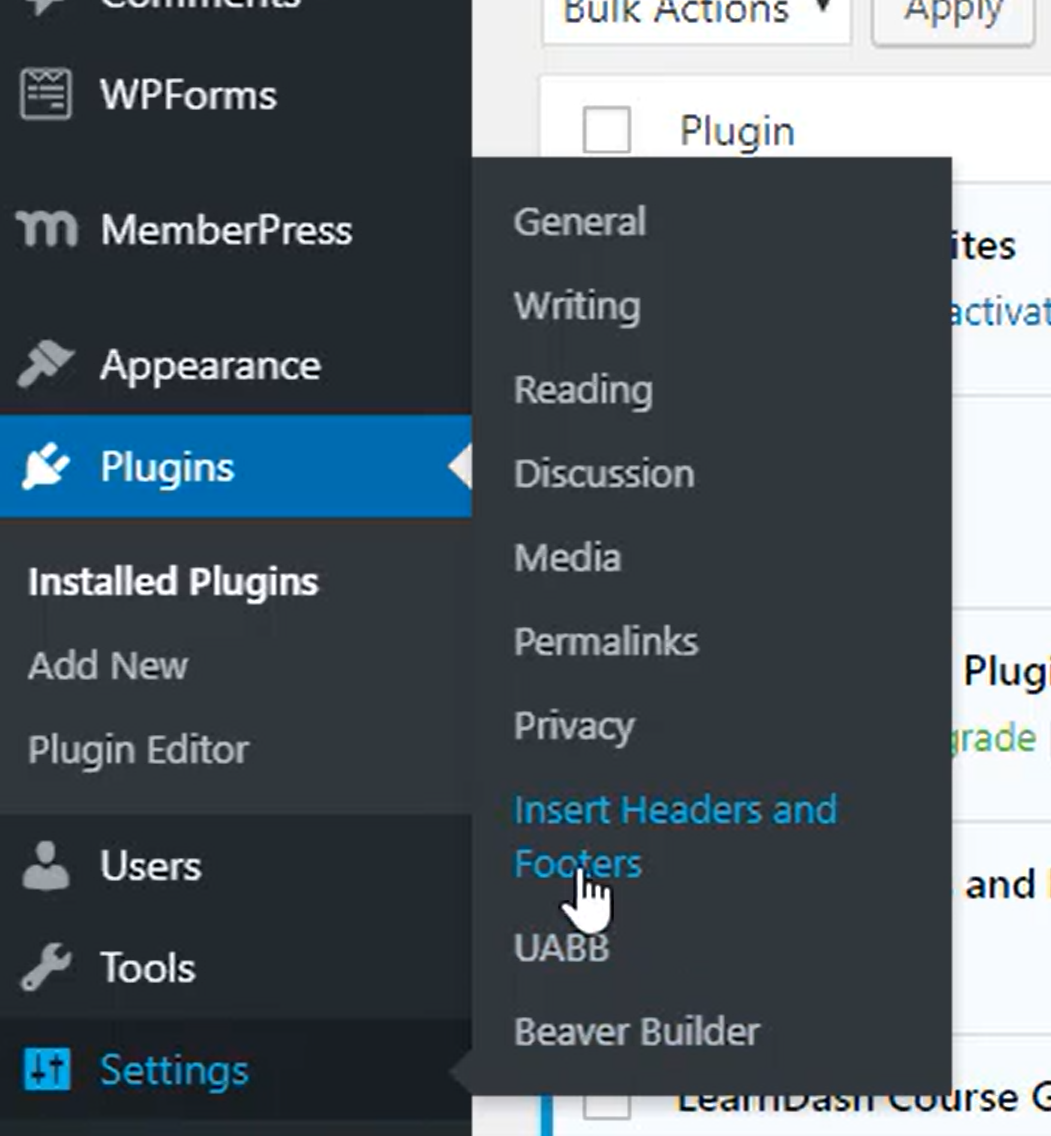
4 . W sekcji Ustawienia wybierz Insert Headers and Footers.
5 . Wklej kod dostarczony przez SEATEXT AI w sekcji „Scripts In Header”. Następnie kliknij „Zapisz”.
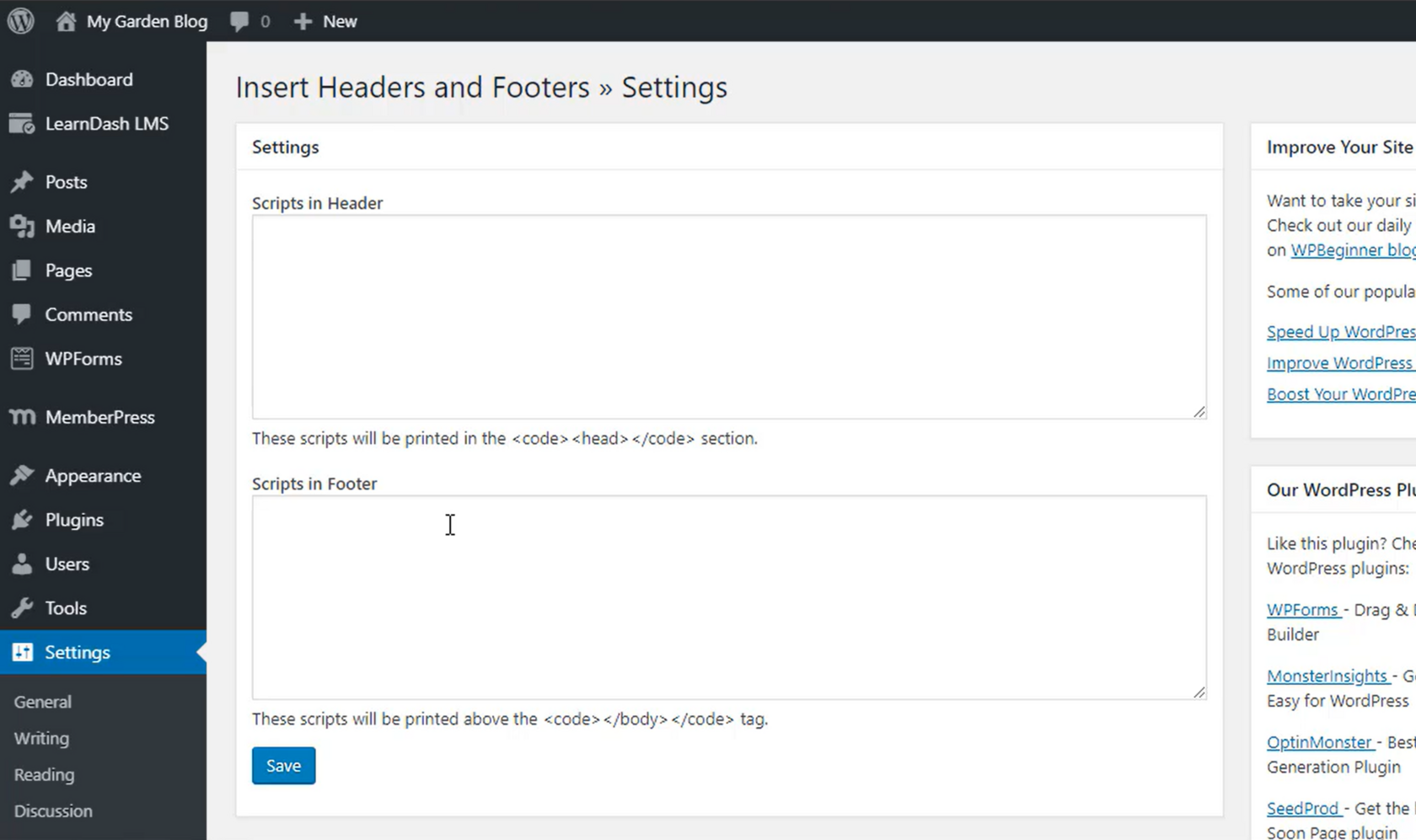
Important: Visit or refresh your website several times and stay on your page for at least 40 seconds—this will activate the AI and link it to your account.
6 . Gdy SEATEXT AI zostanie zainstalowane na Twojej stronie internetowej, nazwa Twojej strony pojawi się w lewym górnym rogu Twojego konta SEATEXT po kilku minutach. Jeśli tak się nie stanie, śmiało skontaktuj się z nami, a odezwiemy się tak szybko, jak to możliwe.
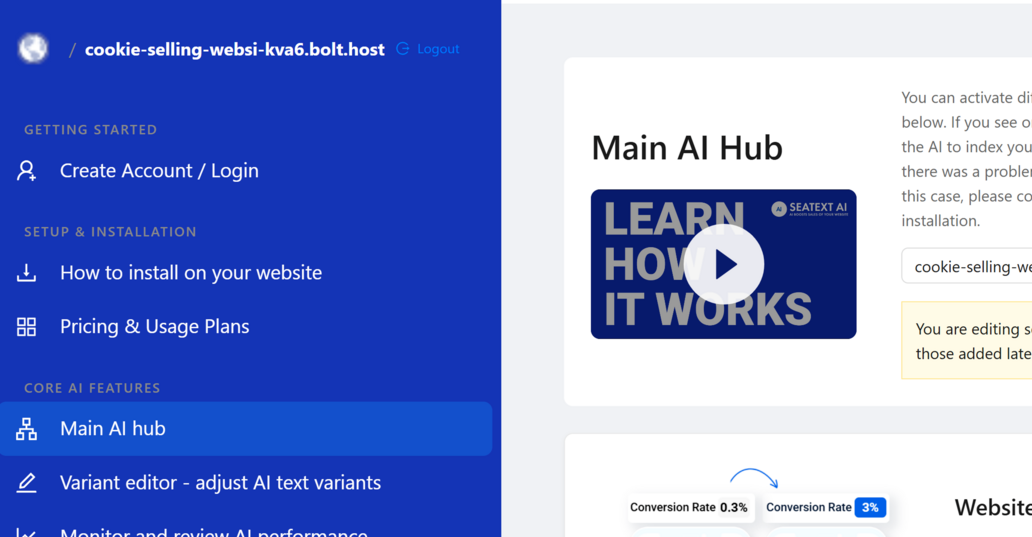
Important: Wait at least five minutes until you see your website name displayed next to the SEATEXT logo at the top of this page. This indicates that your website is connected and ready to proceed to the next step. If you do not see it at the top of the page after 10 minutes, please contact our support team immediately. This could indicate an issue during the installation on your platform, and you may need our assistance.
Multiple Domains If you need to use SEATEXT AI on multiple domains (e.g., a development domain and a production domain), you must create separate accounts for each domain. Each SEATEXT AI account is linked to a single primary URL. Restrictions and Security Development URLs, such as localhost, are restricted for security reasons. Ensure you use a valid, real domain for these cases. Dynamic development domains may not function properly, as SEATEXT AI might be unable to reliably associate traffic with your account. Using SEATEXT AI on Multiple Websites To use SEATEXT AI on several websites, create one account for each website.