Integrare WordPress
Instalează Seatext pe site-ul tău urmând instrucțiunile de mai jos. Procesul de instalare este sigur, iar AI-ul rămâne inactiv până la activare, asigurând integritatea conținutului site-ului tău. Înainte de a instala scriptul, ai nevoie de un cont SEATEXT AI. Dacă nu ai încă un cont, poți crea unul AICI.
Integrare WordPress
Integrare pas cu pas
Copiază codul Javascript de la SEATEXT AI care apare în secțiunea de mai jos.
SEATEXTCODEINTEGRATION
Cea mai recomandată metodă de a instala SEATEXT AI pe site-ul dvs. este utilizarea plugin-ului Headers and Footers de WPBeginner. Acesta vă va permite să adăugați ușor fragmente de cod pe site-ul WordPress.
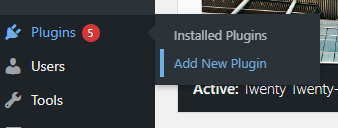
Accesați panoul de administrare WordPress, faceți clic pe „Module” apoi pe „Adaugă nou”
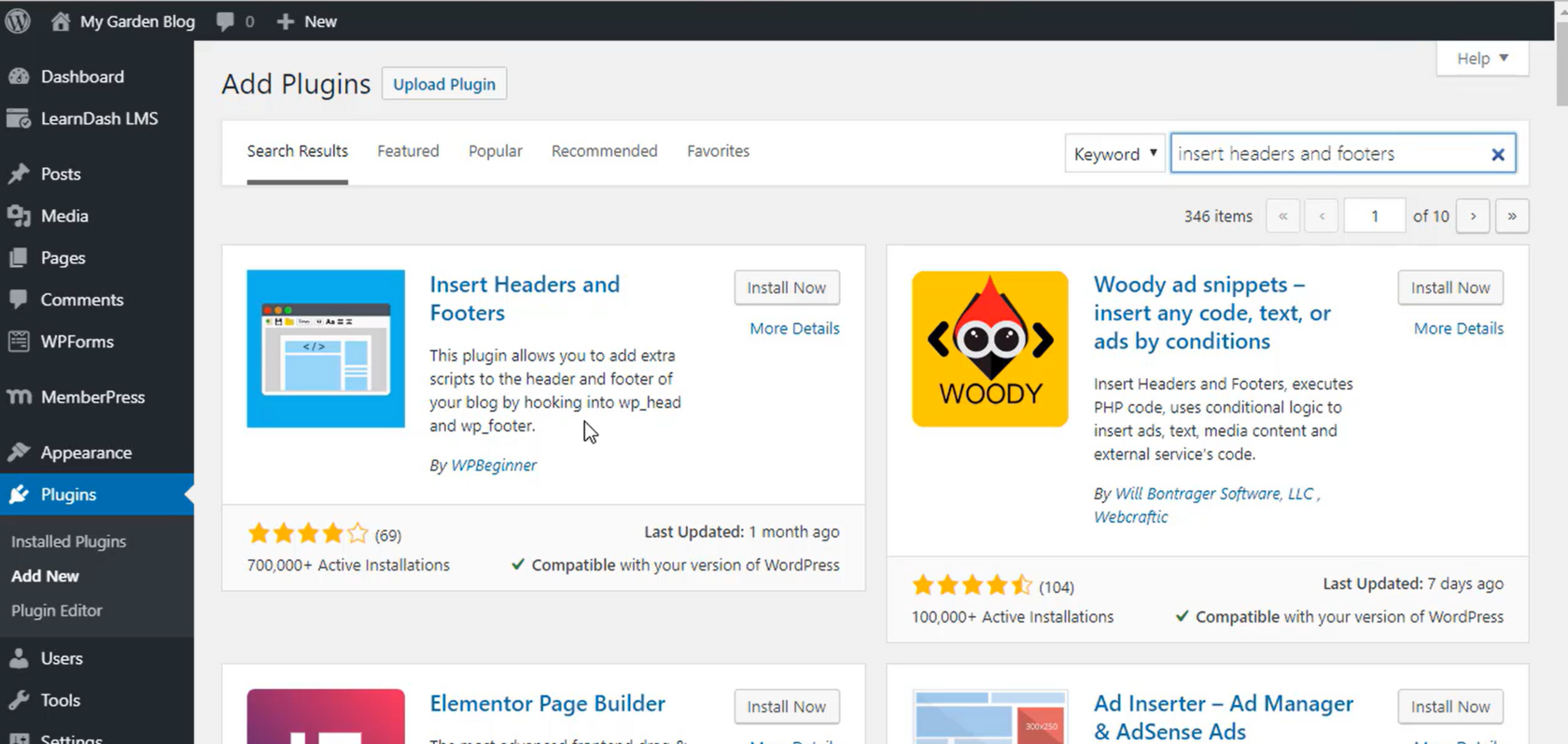
2. Căutați „Insert Headers and Footers” și instalați plugin-ul.
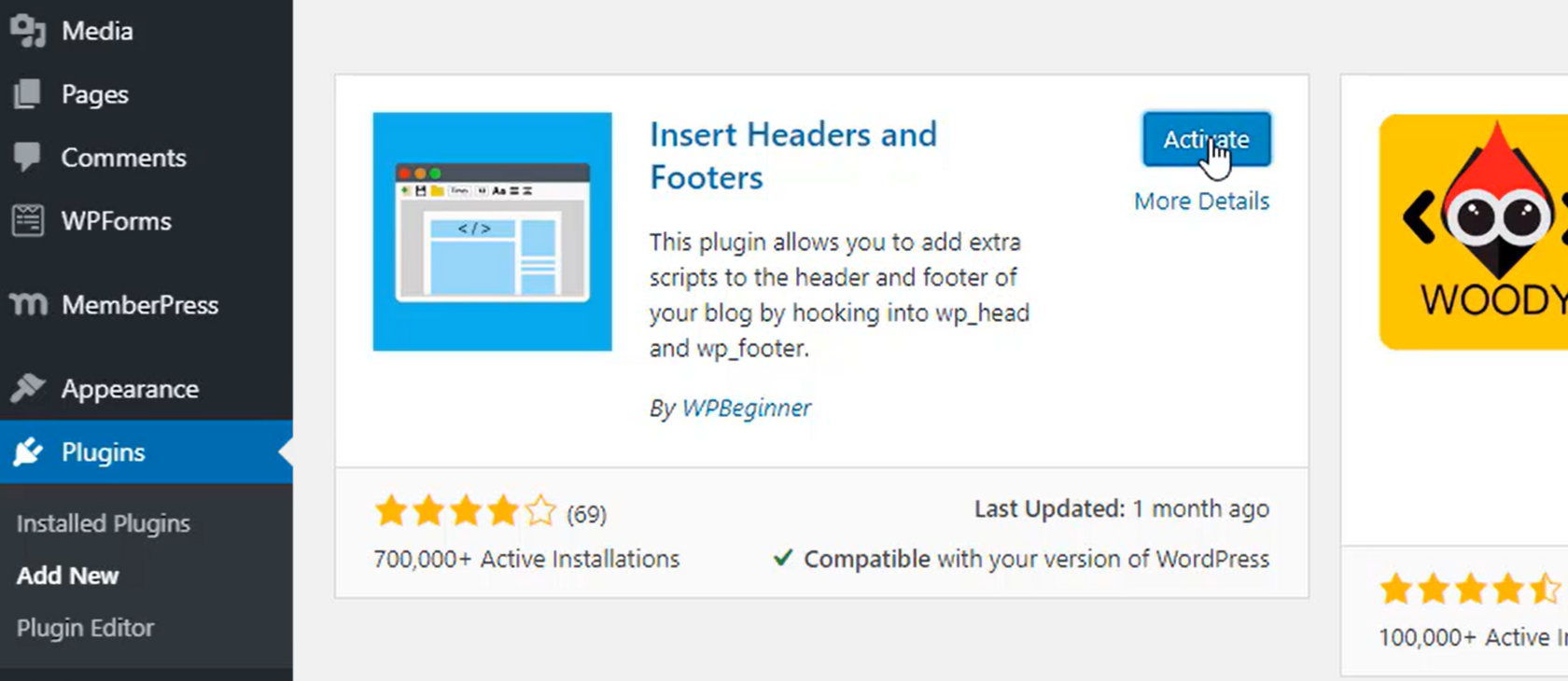
3. După instalare, activați plugin-ul.
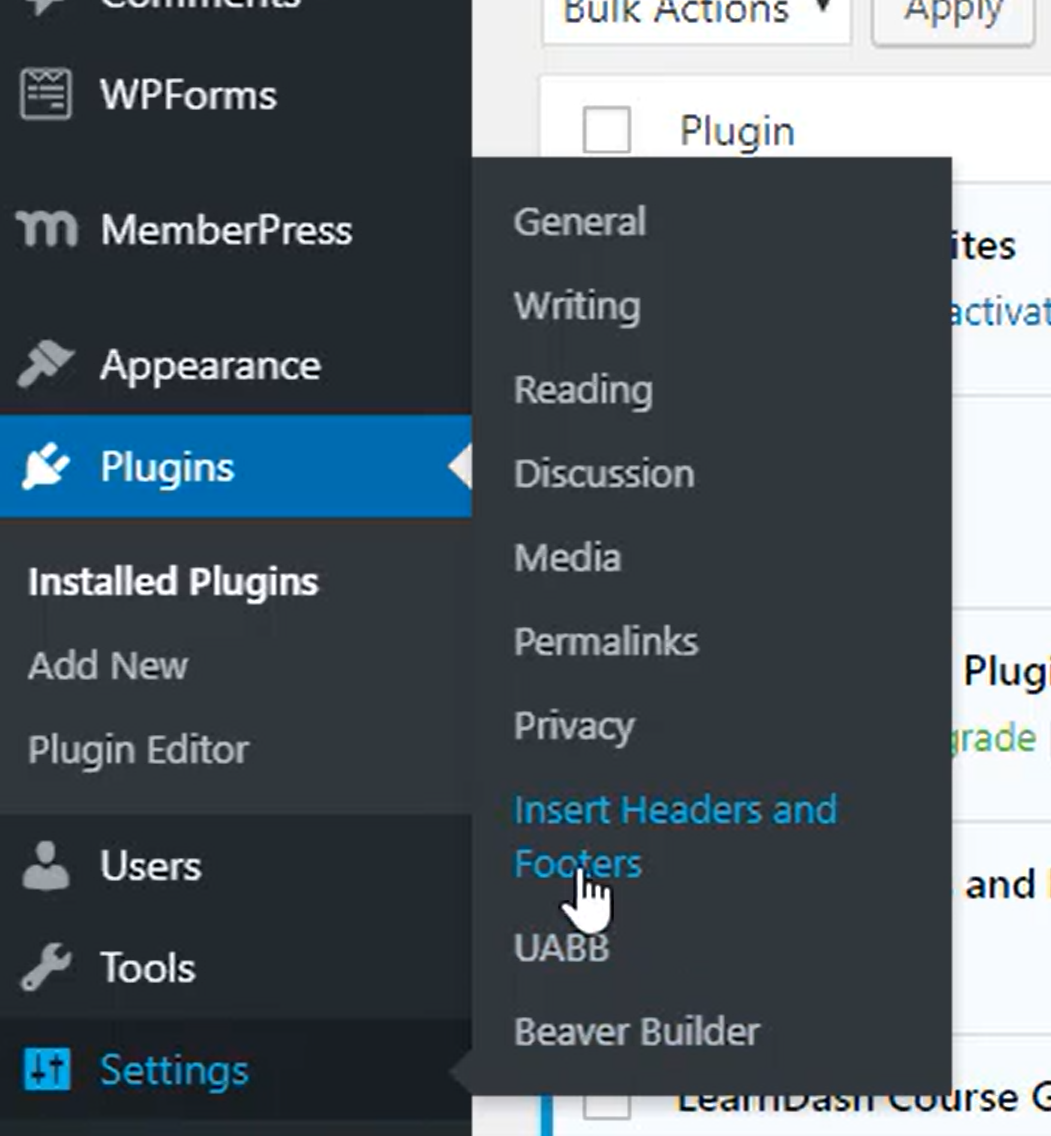
4. În secțiunea Setări selectați Insert Headers and Footers.
5. Lipiți codul furnizat de SEATEXT AI în secțiunea „Scripts In Header”. Apoi faceți clic pe „Salvează”.
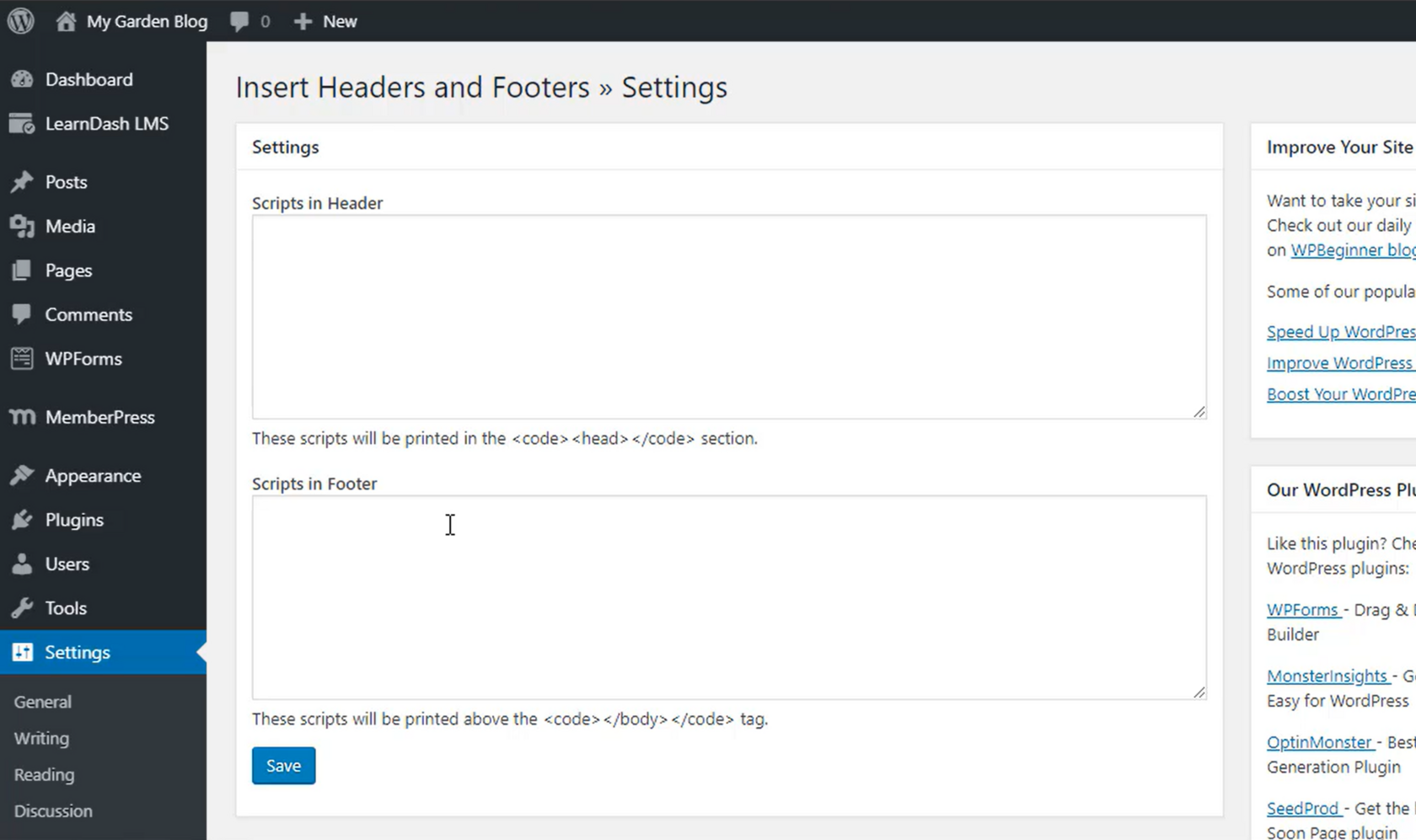
Important: Vizitează sau reîmprospătează site-ul tău de mai multe ori și rămâi pe pagină cel puțin 40 de secunde—aceasta va activa AI-ul și îl va lega de contul tău.
6. Odată ce SEATEXT AI este instalat pe site-ul dvs., numele site-ului va apărea în colțul din stânga sus al contului SEATEXT după câteva minute. Dacă nu se întâmplă, vă rugăm să ne contactați, și vă vom răspunde cât mai curând posibil.
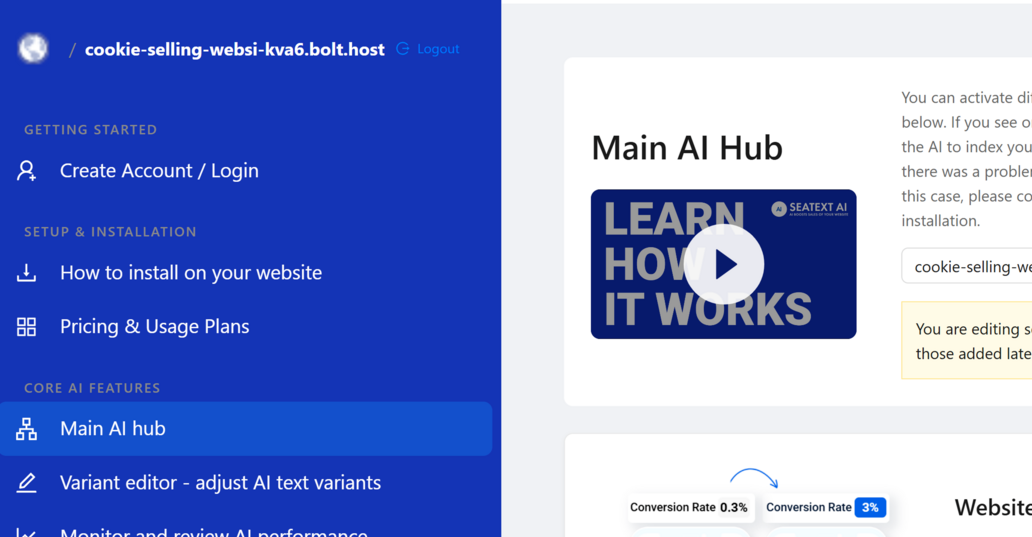
Important: Așteaptă cel puțin cinci minute până când vezi numele site-ului tău afișat lângă sigla SEATEXT în partea de sus a acestei pagini. Acest lucru indică faptul că site-ul tău este conectat și gata pentru următorul pas. Dacă nu îl vezi în partea de sus a paginii după 10 minute, te rugăm să contactezi imediat echipa noastră de asistență. Acest lucru ar putea indica o problemă în timpul instalării pe platforma ta și s-ar putea să ai nevoie de ajutorul nostru.
Domenii multiple: Dacă trebuie să folosești SEATEXT AI pe mai multe domenii (de exemplu, un domeniu de dezvoltare și unul de producție), trebuie să creezi conturi separate pentru fiecare domeniu. Fiecare cont SEATEXT AI este legat de o singură adresă URL principală. Restricții și securitate: Adresele URL de dezvoltare, precum localhost, sunt restricționate din motive de securitate. Asigură-te că folosești un domeniu valid și real pentru aceste cazuri. Domeniile de dezvoltare dinamice pot să nu funcționeze corect, deoarece SEATEXT AI poate să nu poată asocia în mod fiabil traficul cu contul tău. Utilizarea SEATEXT AI pe mai multe site-uri: Pentru a folosi SEATEXT AI pe mai multe site-uri web, creează un cont pentru fiecare site.
