Integrácia s WordPressom
Install Seatext on your website by following the instructions below. The installation process is secure, and the AI remains inert until activated, ensuring the integrity of your website's content. Before you can install the script, you need a SEATEXT AI account. If you don't have an account yet, you can create one HERE
Integrácia s WordPressom
Krok za krokom integrácia
Skopírujte JavaScript kód z SEATEXT AI, ktorý sa objavuje v tomto nižšie uvedenej časti.
SEATEXTCODEINTEGRATION
The recommended way to install SEATEXT AI on your website is by using the Headers and Footers by WPBeginner plugin. This will allow you to easily add code snippets to your WordPress site.
Prejdite na admin panel svojho WordPress webu a kliknite na "Pluginy", potom "Pridať nový".
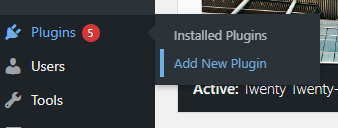
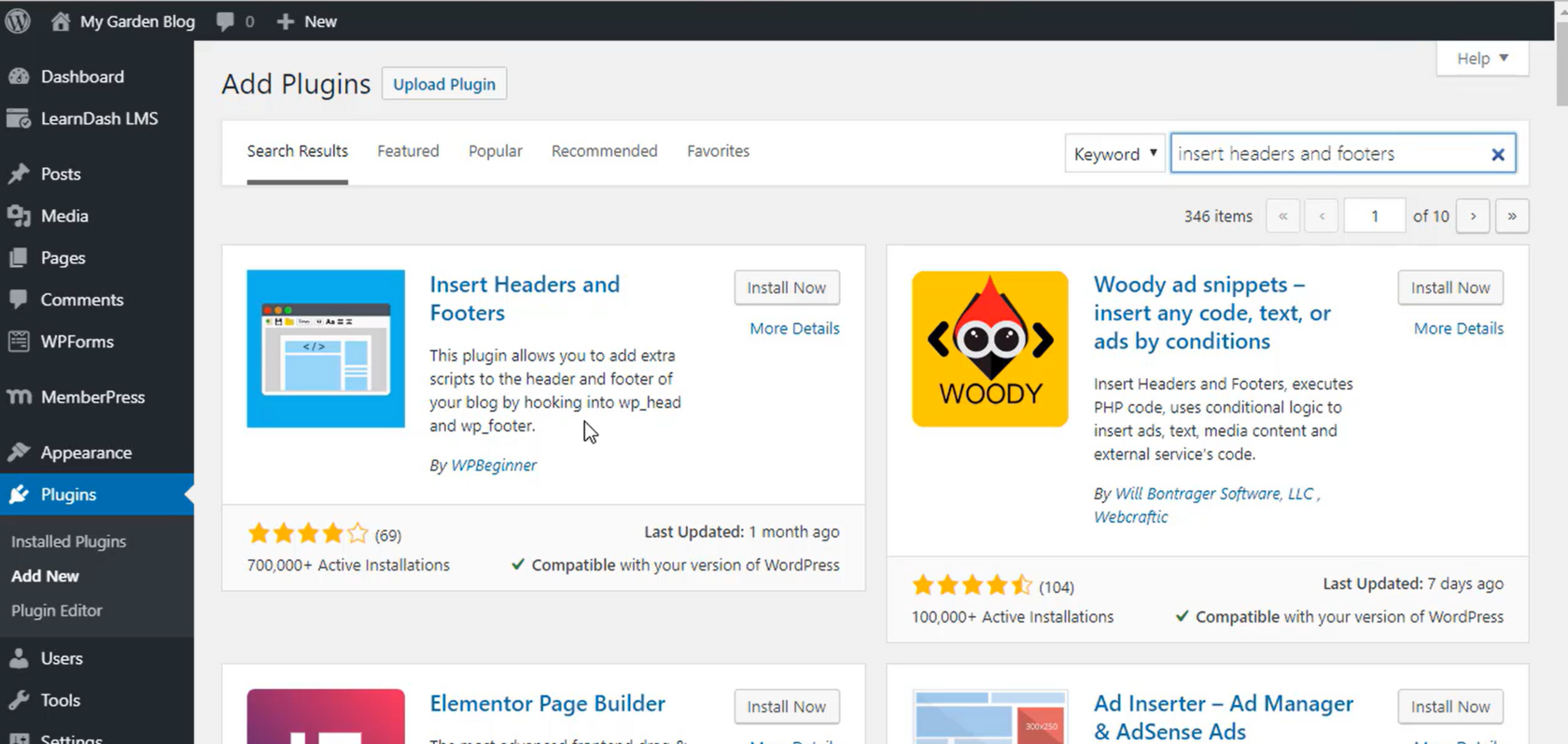
2 . Vyhľadajte "Vložiť hlavičky a pätičky" a nainštalujte plugin.
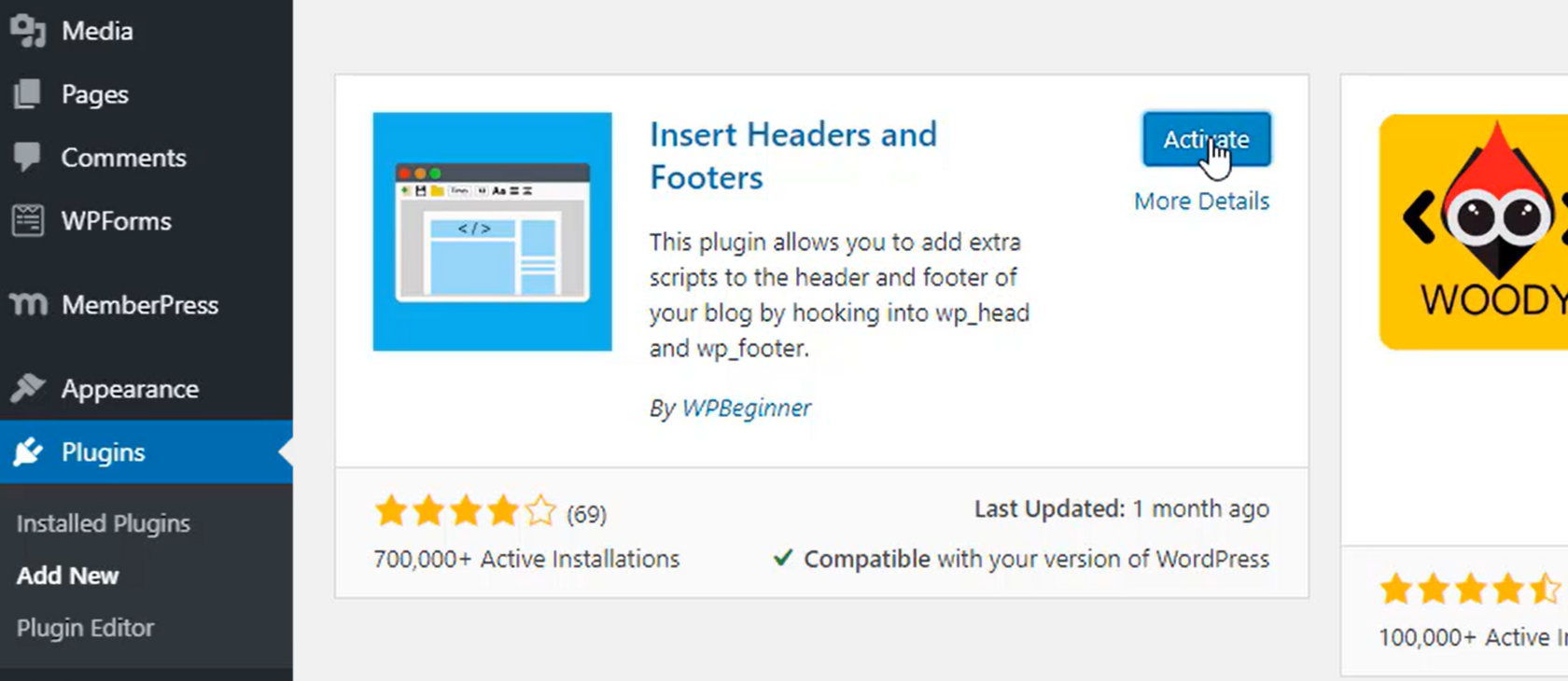
3 . Po nainštalovaní aktivujte plugin.
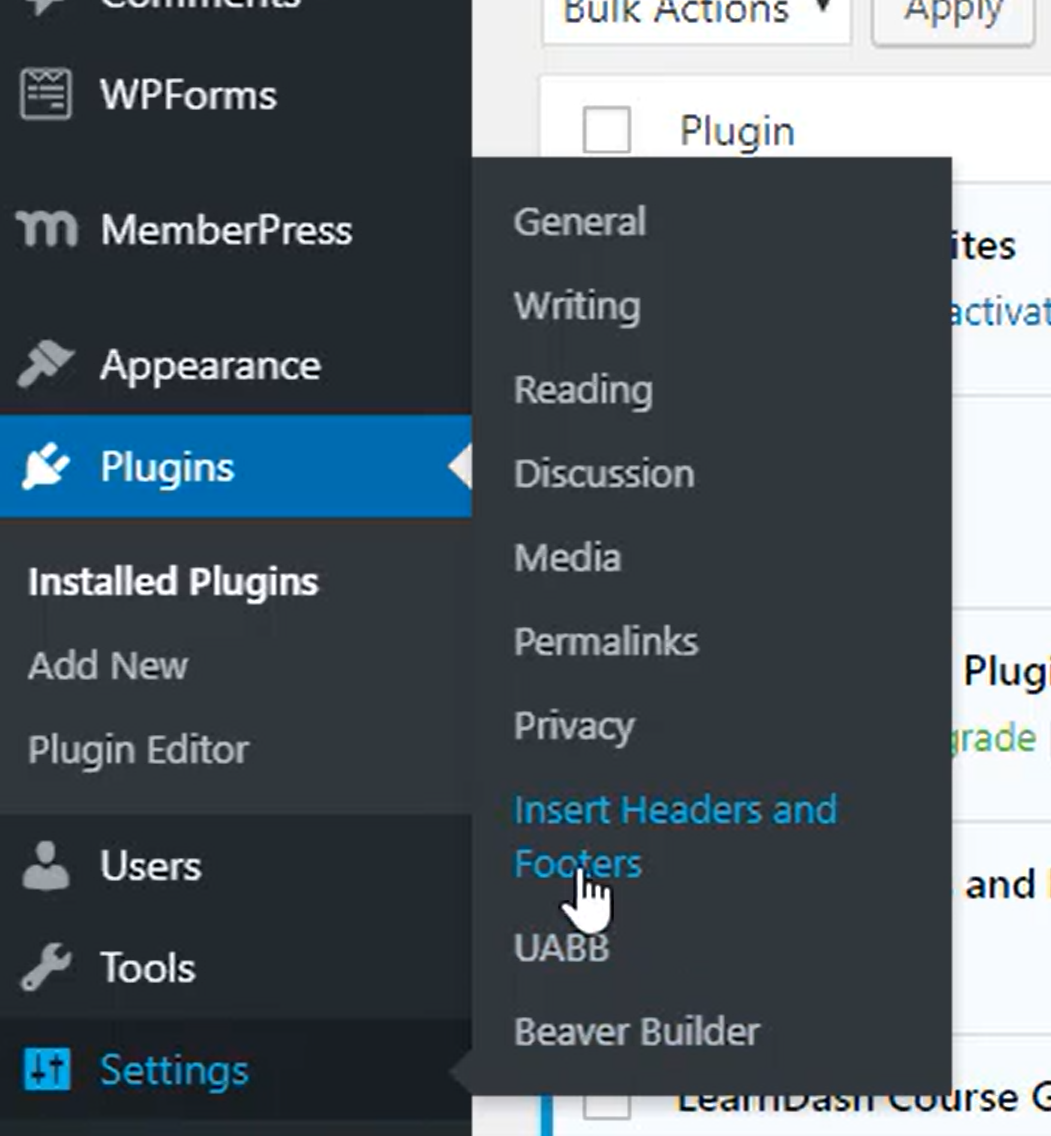
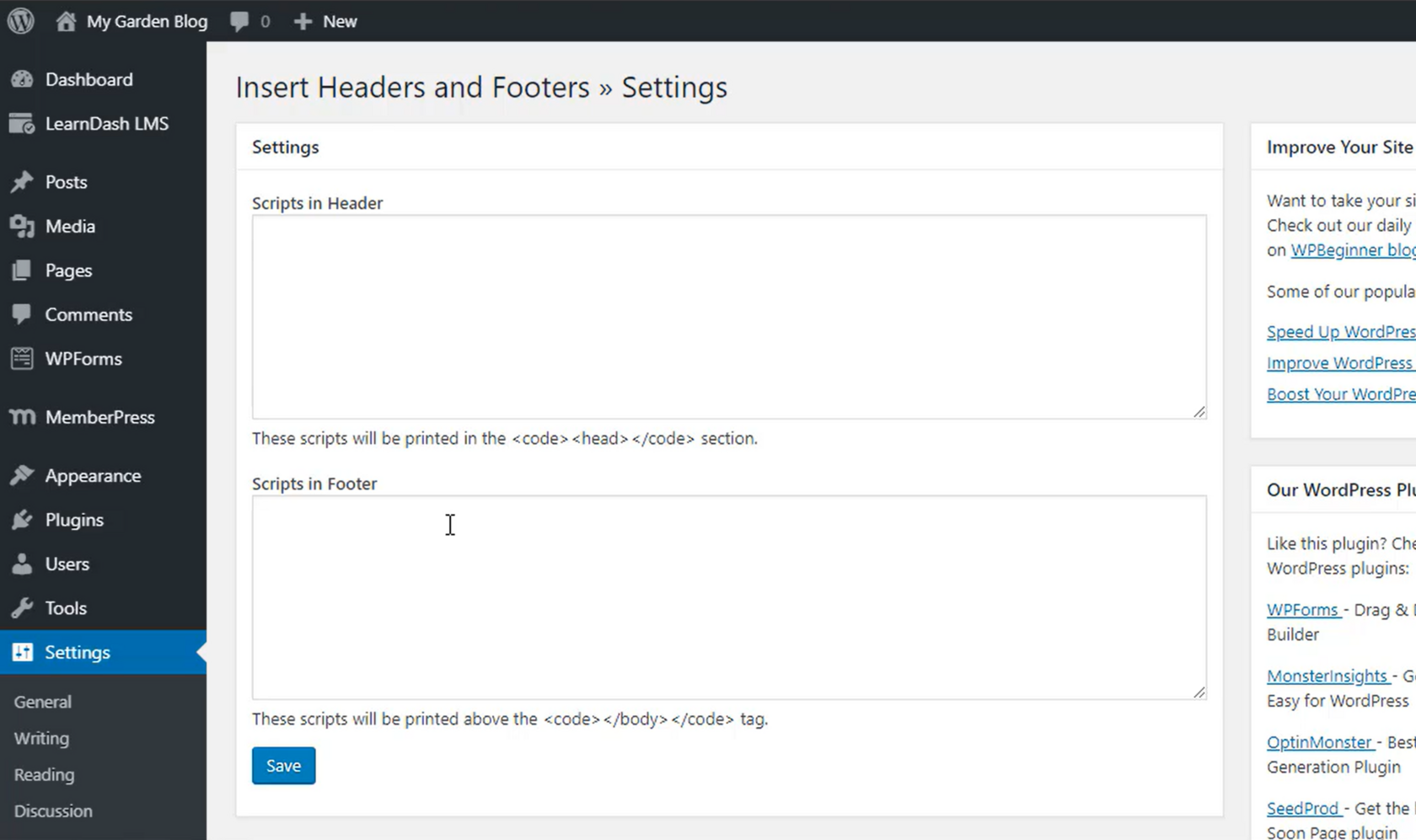
4 . V časti Nastavenia vyberte Vložiť hlavičky a pätičky.
5 . Vložte kód poskytnutý SEATEXT AI do časti "Skripty v hlavičke". Potom kliknite na "Uložiť".
Important: Visit or refresh your website several times and stay on your page for at least 40 seconds—this will activate the AI and link it to your account.
6 . Ak je SEATEXT AI nainštalované na vašej webstránke, názov vašej webstránky sa po niekoľkých minútach objaví v ľavom hornom rohu vášho SEATEXT účtu. Ak sa tak nestane, neváhajte nás kontaktovať a my sa s nami spojíme čo najskôr.
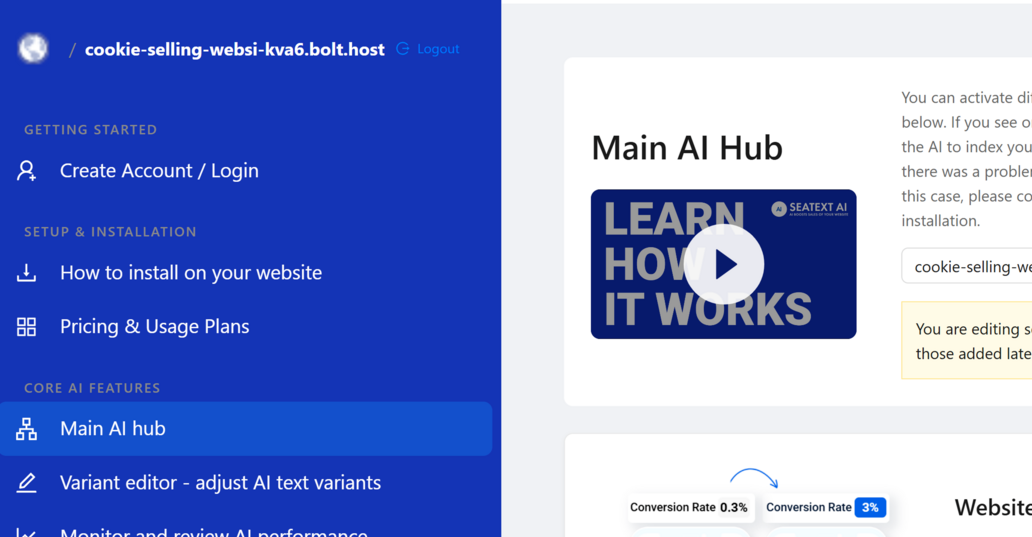
Important: Wait at least five minutes until you see your website name displayed next to the SEATEXT logo at the top of this page. This indicates that your website is connected and ready to proceed to the next step. If you do not see it at the top of the page after 10 minutes, please contact our support team immediately. This could indicate an issue during the installation on your platform, and you may need our assistance.
Multiple Domains If you need to use SEATEXT AI on multiple domains (e.g., a development domain and a production domain), you must create separate accounts for each domain. Each SEATEXT AI account is linked to a single primary URL. Restrictions and Security Development URLs, such as localhost, are restricted for security reasons. Ensure you use a valid, real domain for these cases. Dynamic development domains may not function properly, as SEATEXT AI might be unable to reliably associate traffic with your account. Using SEATEXT AI on Multiple Websites To use SEATEXT AI on several websites, create one account for each website.