HubSpot Integration
Fi Seatext sori oju opo wẹẹbu rẹ nipa titele awọn ilana ti o wa ni isalẹ. Ilana fifi sori ẹrọ jẹ ailewu, ati pe AI yoo wa ni ipo iduro titi ti yoo fi mu ṣiṣẹ, eyi ti o ṣe idaniloju iduroṣinṣin ti akoonu oju opo wẹẹbu rẹ. Ṣaaju ki o to le fi iwe afọwọkọ naa sori ẹrọ, o nilo akọọlẹ SEATEXT AI kan. Ti o ko ba ti ni akọọlẹ kan sibẹsibẹ, o le ṣẹda ọkan NIBI
HubSpot Integration
Ìsopọ nípasẹ ìgbésẹ
Copy the Javascript code from SEATEXT AI which appear in this section below.
SEATEXTCODEINTEGRATION
Ṣii akọọlẹ HubSpot rẹ ki o yan oju-iwe ti o fẹ lati ṣafikun SEATEXT AI si, tẹ lori ṣatunkọ
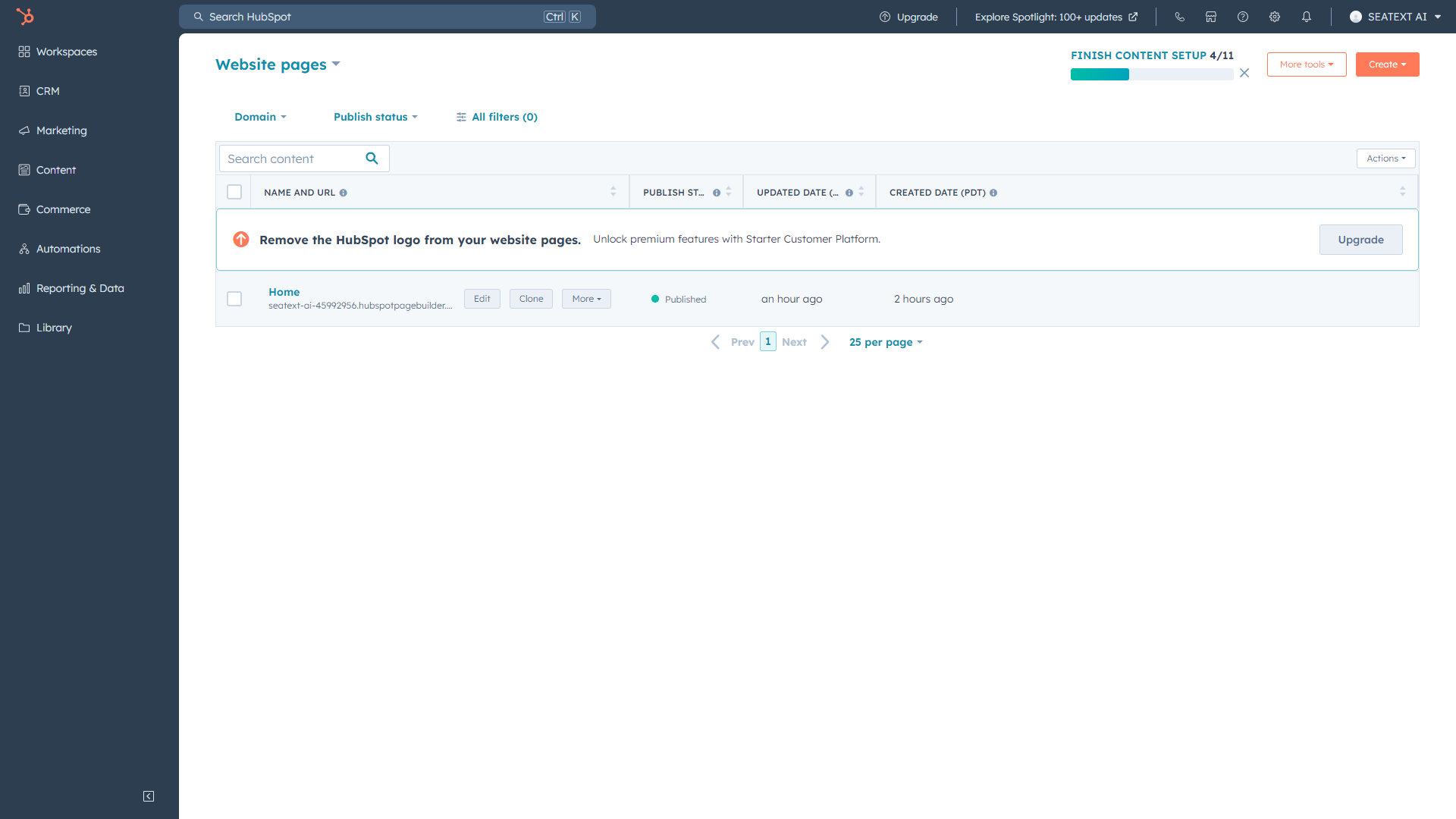
Lọ si oju opo wẹẹbu HubSpot rẹ, tẹ lori “Settings” > “General”
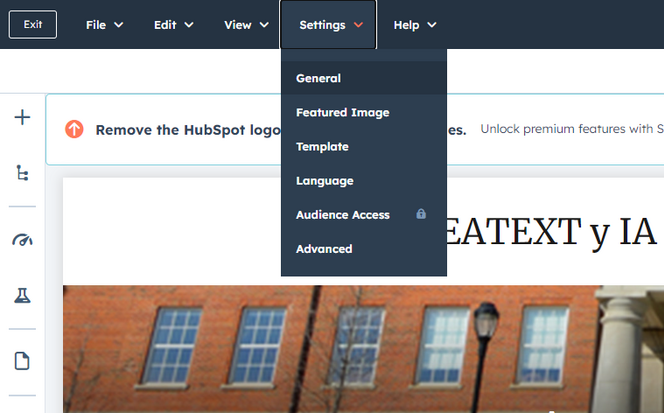
Lọ si “Advanced”, ati pe o yẹ ki o rii aaye kan ti a pe ni “Footer HTML”. Daakọ ati lẹẹmọ iwe afọwọkọ JavaScript ti a pese. Yoo dabi eyi ti o tẹle.
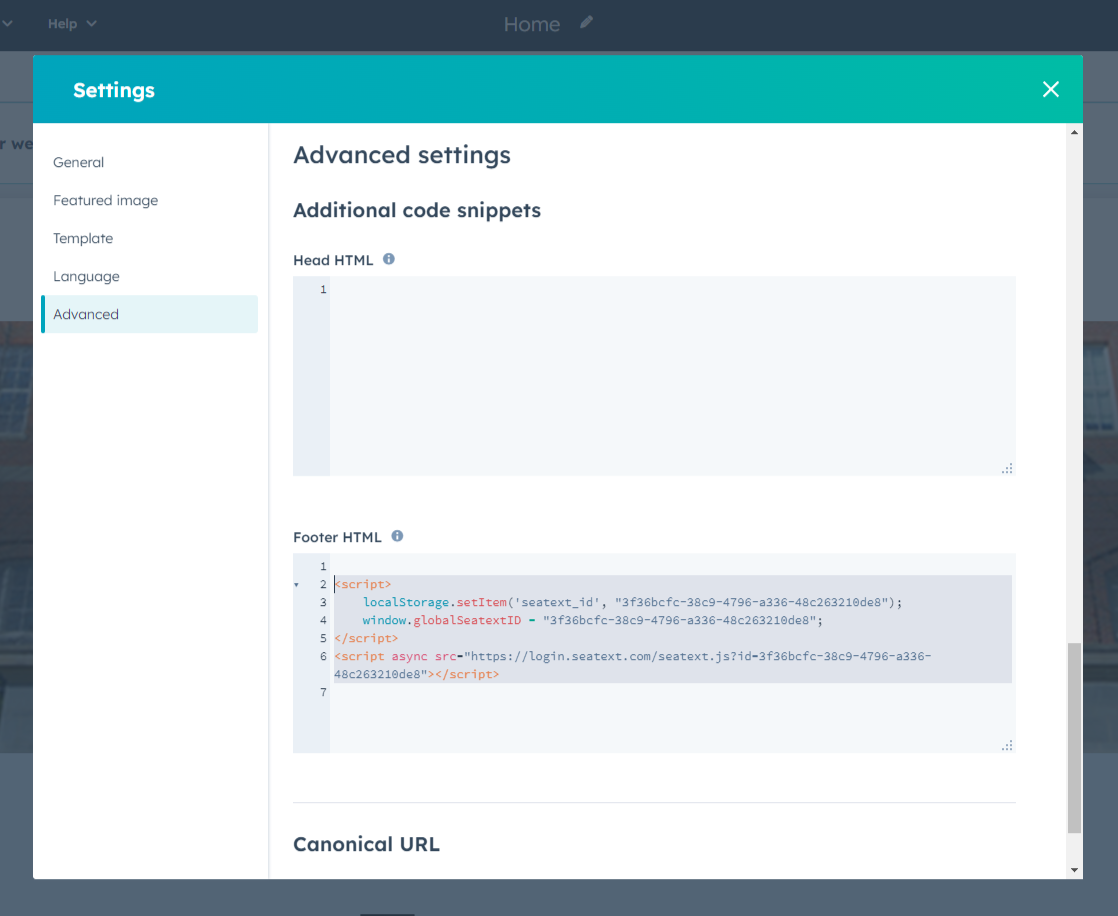
Ṣe atẹjade awọn ayipada rẹ nipa titẹ lori bọtini Osan ni apa ọtun oke gangan.
Awọn agbegbe Pupọ Ti o ba nilo lati lo SEATEXT AI lori awọn agbegbe pupọ (fun apẹẹrẹ, agbegbe idagbasoke ati agbegbe iṣelọpọ), o gbọdọ ṣẹda awọn akọọlẹ lọtọ fun agbegbe kọọkan. Akọọlẹ SEATEXT AI kọọkan ni asopọ si URL akọkọ kan. Awọn ihamọ ati Aabo Awọn URL idagbasoke, gẹgẹbi localhost, ni ihamọ fun awọn idi aabo. Rii daju pe o lo agbegbe ti o wulo ati gidi fun awọn ọran wọnyi. Awọn agbegbe idagbasoke ti o ni agbara le ma ṣiṣẹ daradara, nitori SEATEXT AI le ma ni anfani lati ṣe ajọṣepọ ijabọ pẹlu akọọlẹ rẹ ni igbẹkẹle. Lilo SEATEXT AI lori Awọn oju opo wẹẹbu Pupọ Lati lo SEATEXT AI lori ọpọlọpọ awọn oju opo wẹẹbu, ṣẹda akọọlẹ kan fun oju opo wẹẹbu kọọkan.
Pataki: Ṣabẹwo tabi sọ oju opo wẹẹbu rẹ di tuntun ni ọpọlọpọ igba ki o duro lori oju-iwe rẹ fun o kere ju iṣẹju-aaya 40—eyyi yoo mu AI ṣiṣẹ ati so pọ mọ akọọlẹ rẹ.
Important: Wait at least five minutes until you see your website name displayed next to the SEATEXT logo at the top of this page. This indicates that your website is connected and ready to proceed to the next step. If you do not see it at the top of the page after 10 minutes, please contact our support team immediately. This could indicate an issue during the installation on your platform, and you may need our assistance.
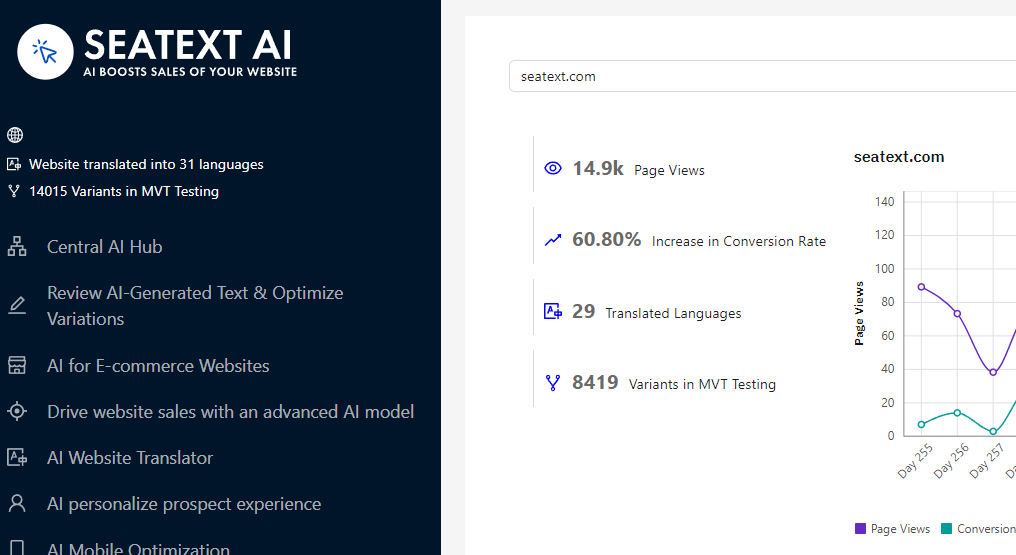
Mimu AI ṣiṣẹ Tẹsiwaju si Ile-iṣẹ AI Akọkọ lati mu AI pataki ṣiṣẹ lori awọn oju-iwe ti o fẹ. Tẹ lori "Configuration" lati ṣatunṣe awọn paramita AI. Ṣiṣatunkọ Aṣayan: SEATEXT AI n pese iyipo akọkọ rẹ ti awọn itumọ aifọwọyi ati awọn iyatọ fun idanwo. Wọle si akọọlẹ SEATEXT AI rẹ, lilö kiri si "Variants Edit" ninu nronu osi, ki o yan URL ati ede ti o fẹ ṣatunkọ. Nibi, o le ṣe atunyẹwo, ṣẹda, tabi ṣatunkọ awọn itumọ pẹlu ọwọ fun awọn iyatọ rẹ.