Weebly Integration
請按照下方說明在您的網站安裝 Seatext。安裝過程安全可靠,AI 在啟用前會保持靜止狀態,確保您網站內容的完整性。安裝腳本前,您需要一個 SEATEXT AI 帳戶。若尚無帳戶,可點此 建立一個
Weebly Integration
Below is a step-by-step guide to integrate SEATEXT AI into your Weebly website.
逐步整合指南
Copy the JavaScript code provided by SEATEXT AI, which can be found in the section below.
SEATEXTCODEINTEGRATION
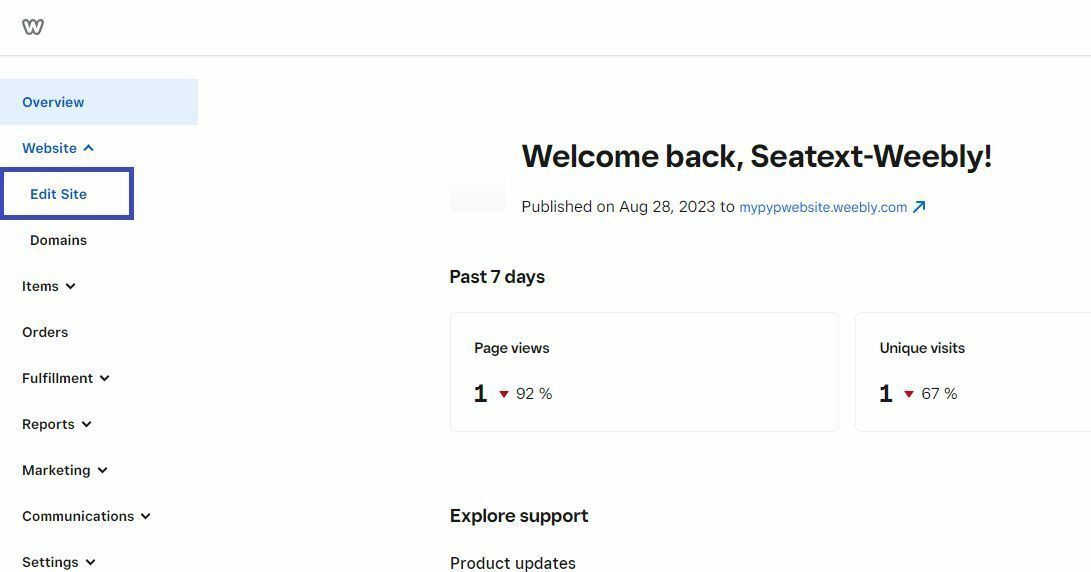
2 . Paste the Javascript code from Seatext on your website Access your Weebly account and navigate to the Website>Edit Site option in the left-hand menu.
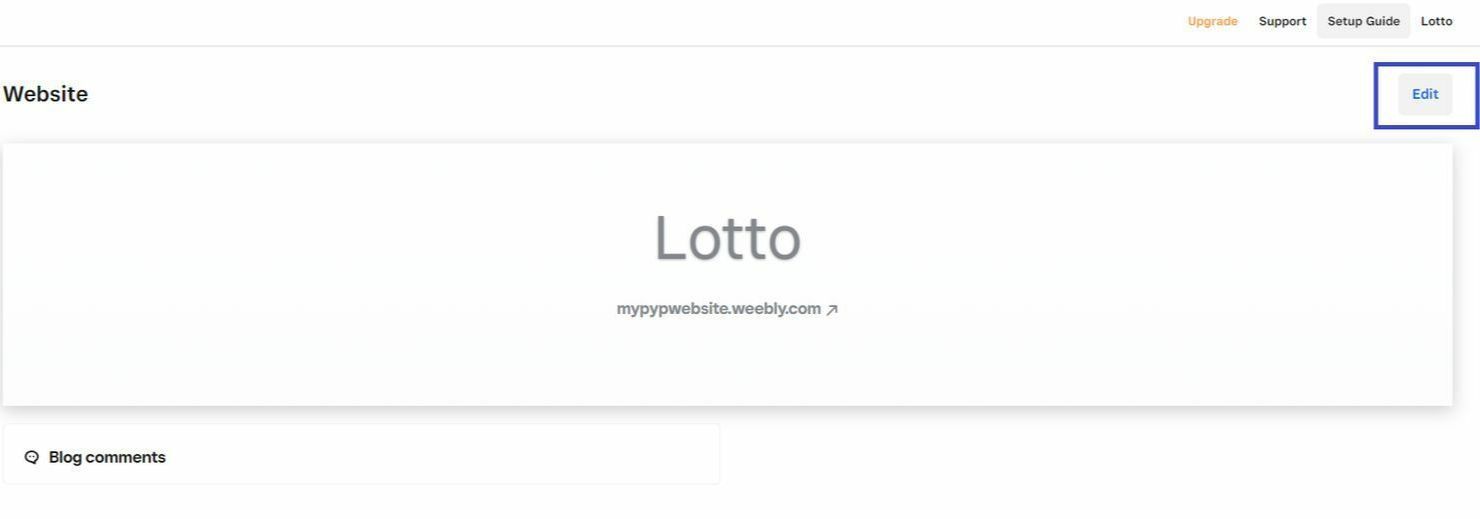
Select the project you wish to translate and enter the edit mode by clicking on the "Edit" button.
Within the Website edit mode, locate and click on "Settings."
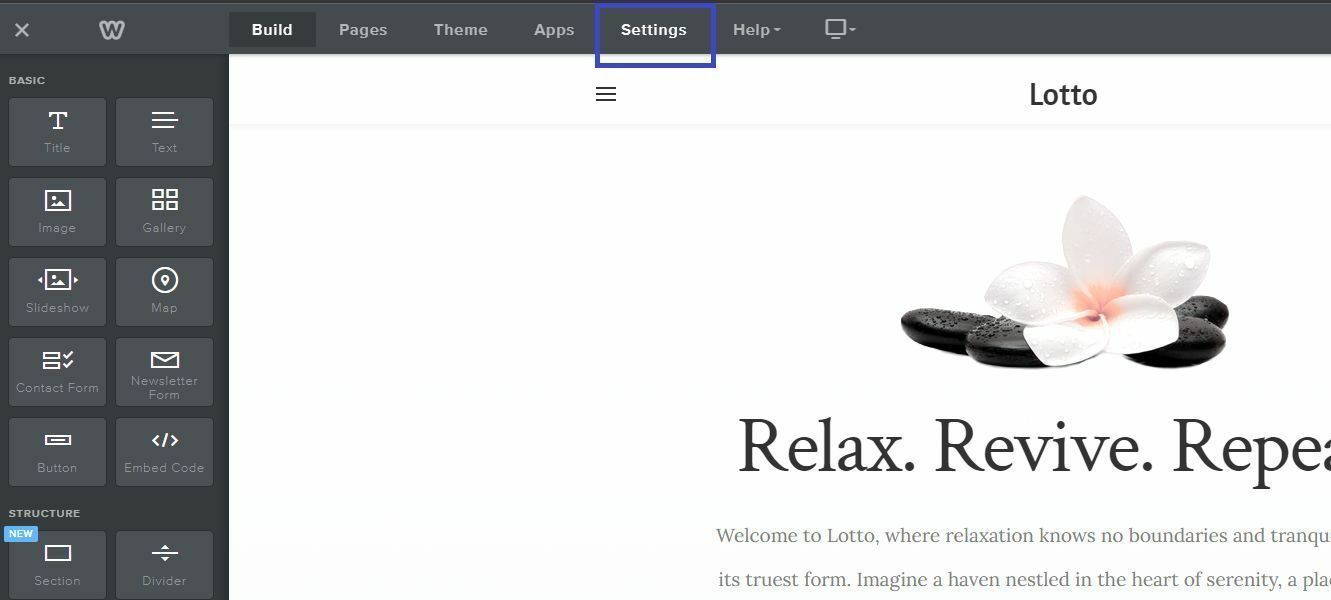
Next, access the SEO section by clicking on the corresponding option.
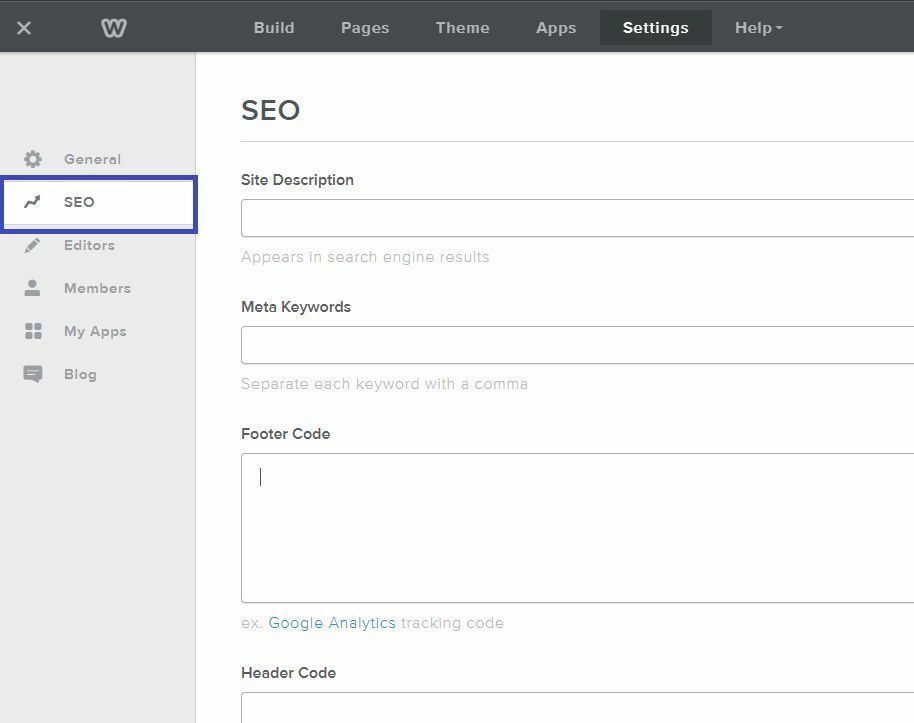
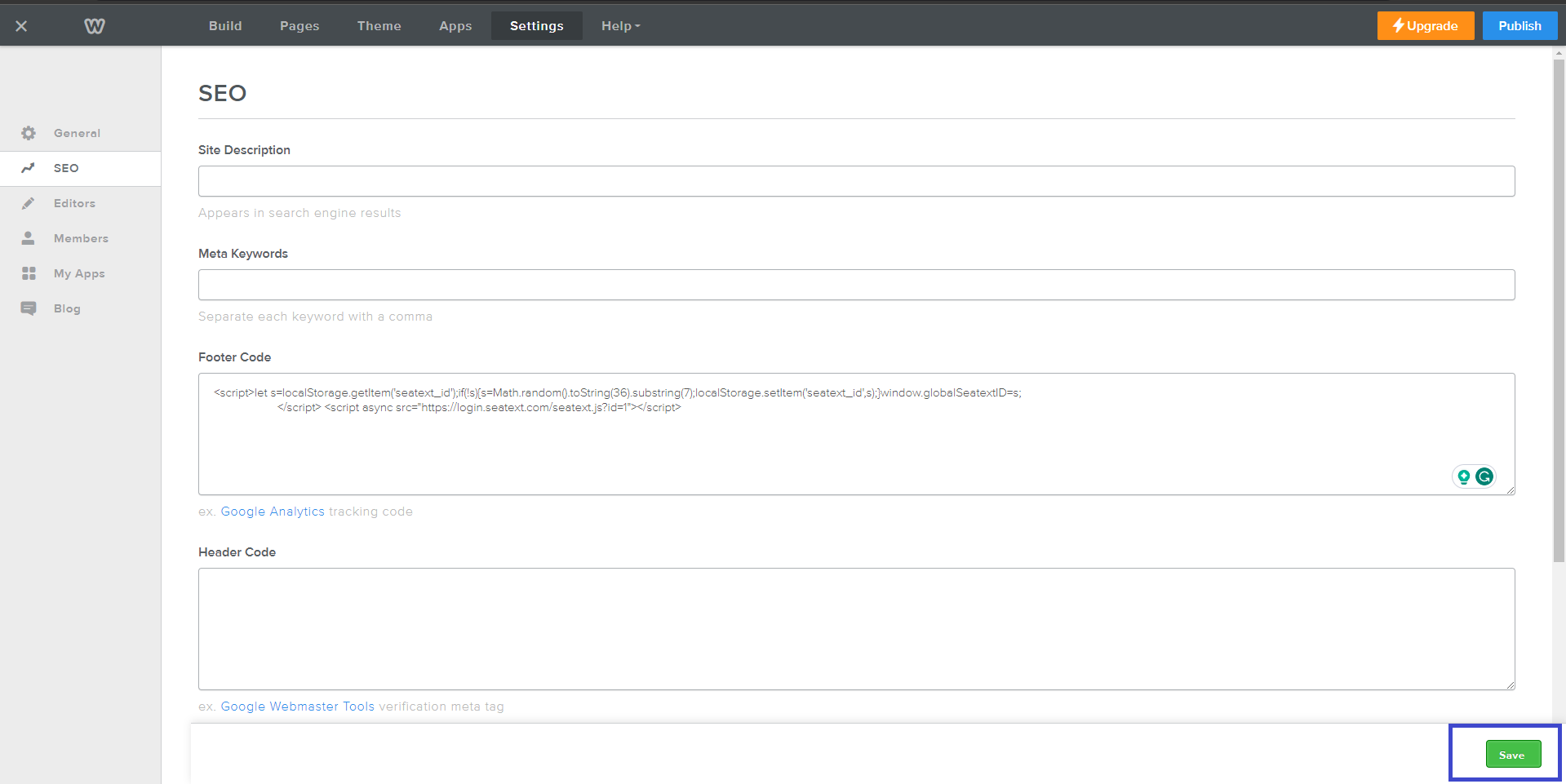
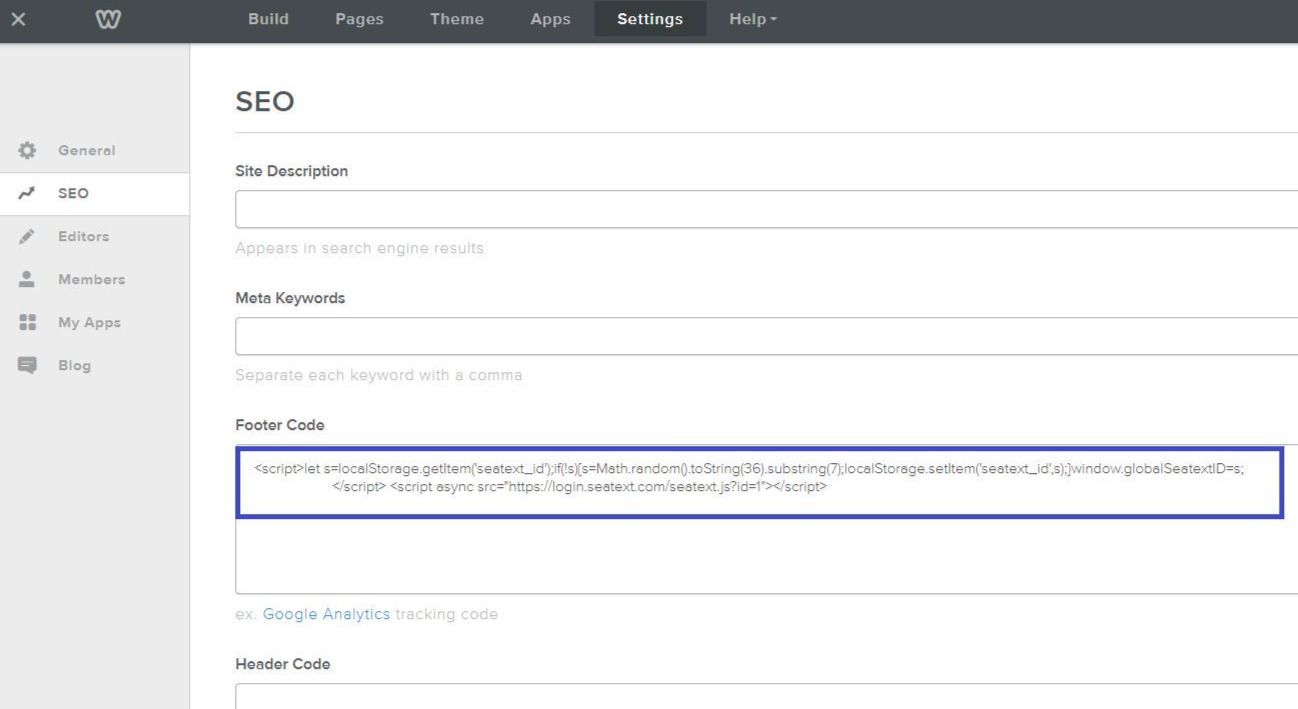
In the "Footer Code" section, insert the JavaScript snippet provided on your SEATEXT AI account page.
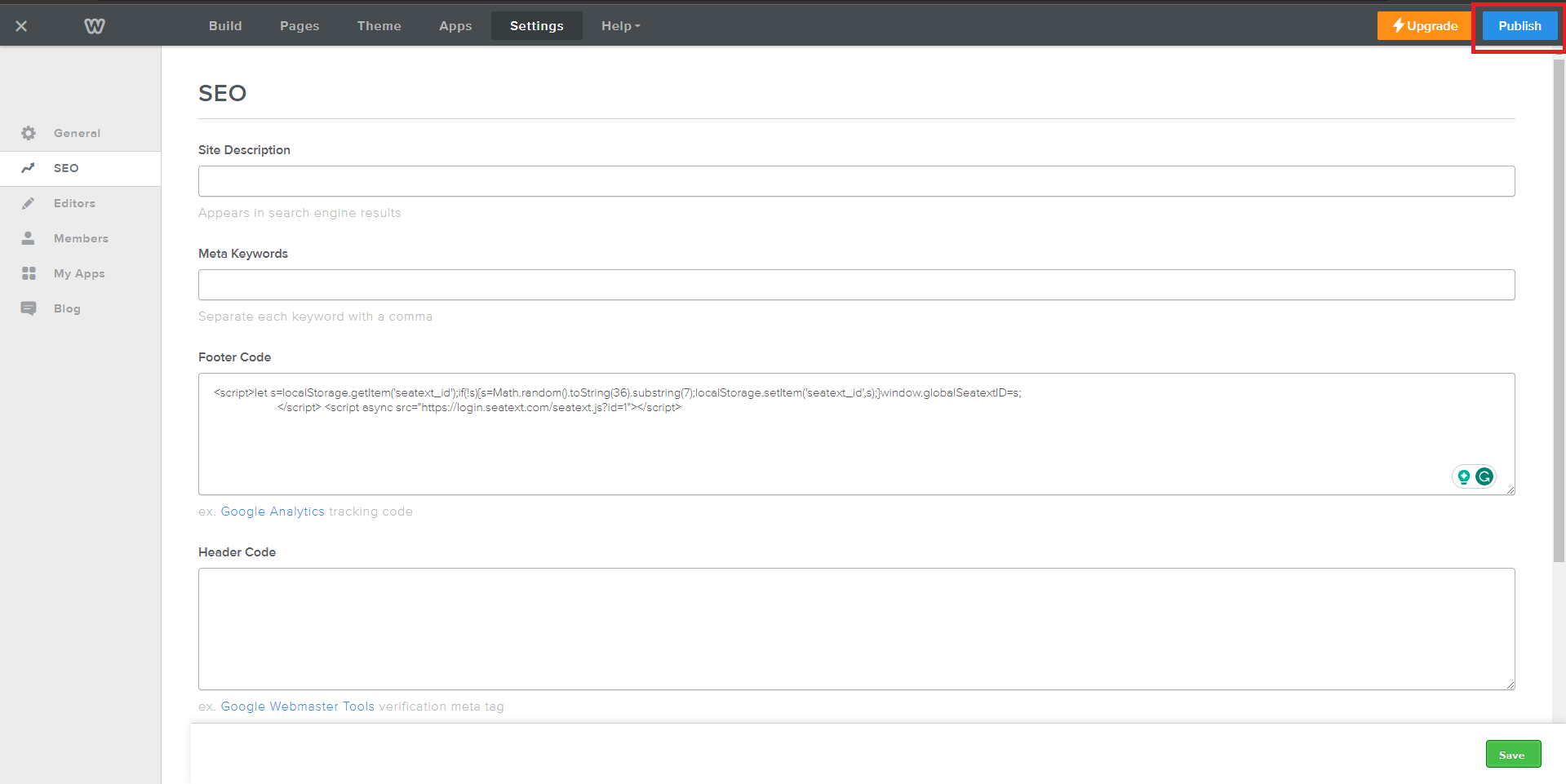
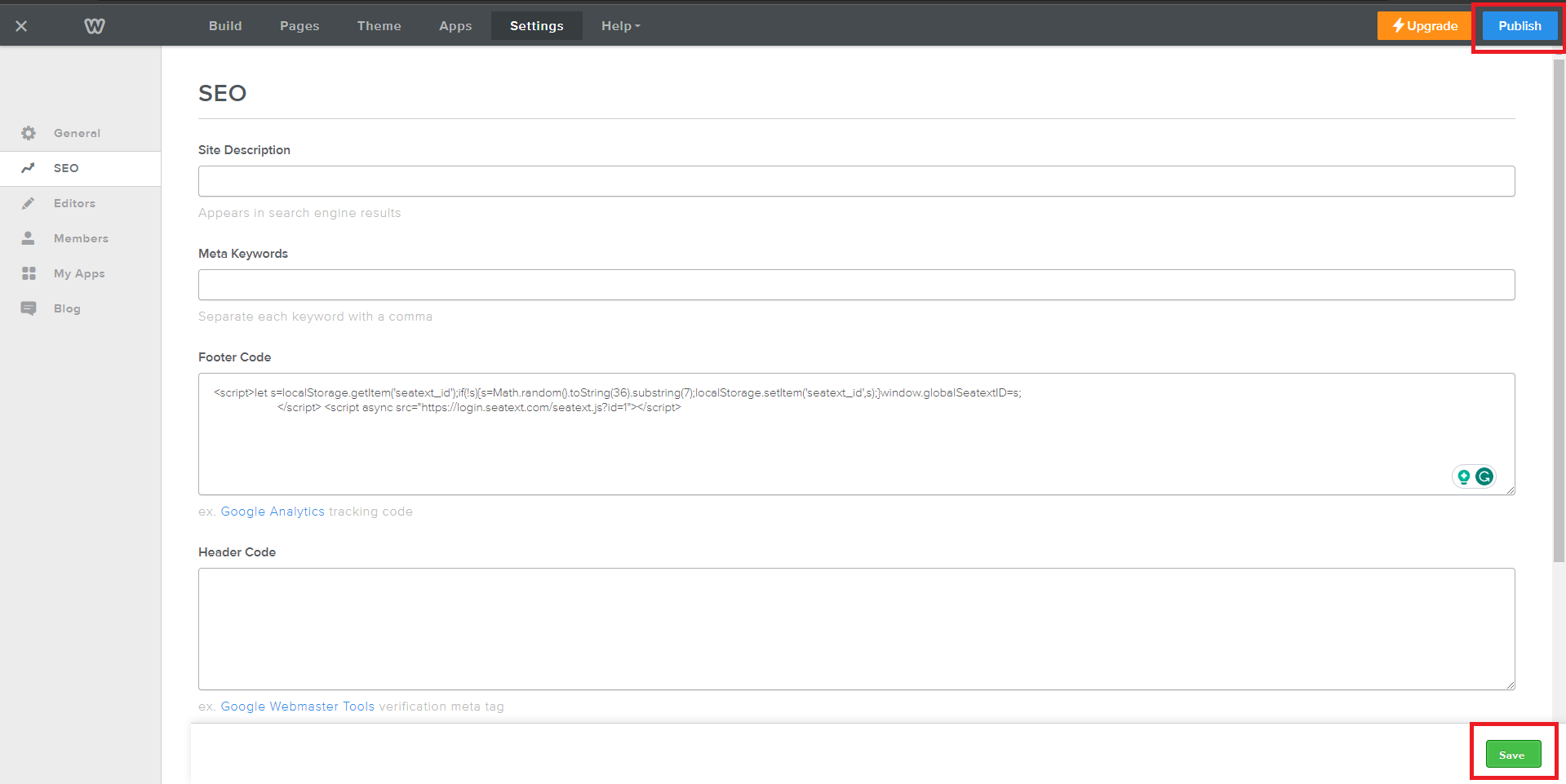
Finally, save your changes by clicking "Save," followed by "Publish."
多網域:若需在多個網域使用 SEATEXT AI(例如開發網域與正式網域),必須為每個網域建立獨立帳戶。每個 SEATEXT AI 帳戶僅連結單一主要網址。限制與安全性:為安全起見,開發用網址(如 localhost)受到限制。請確保使用有效的真實網域。動態開發網域可能無法正常運作,因 SEATEXT AI 可能無法可靠地將流量關聯至您的帳戶。在多個網站使用 SEATEXT AI:若要在多個網站使用 SEATEXT AI,請為每個網站建立一個帳戶。
重要:請多次造訪或重新整理您的網站,並在頁面停留至少 40 秒——這將啟用 AI 並將其連結至您的帳戶。
重要:請至少等待五分鐘,直到您在本頁頂端的 SEATEXT 標誌旁看到您的網站名稱。這表示您的網站已連線並可進行下一步驟。若 10 分鐘後仍未出現在頁面頂端,請立即聯繫我們的支援團隊。這可能表示您平台上的安裝過程出現問題,您可能需要我們的協助。
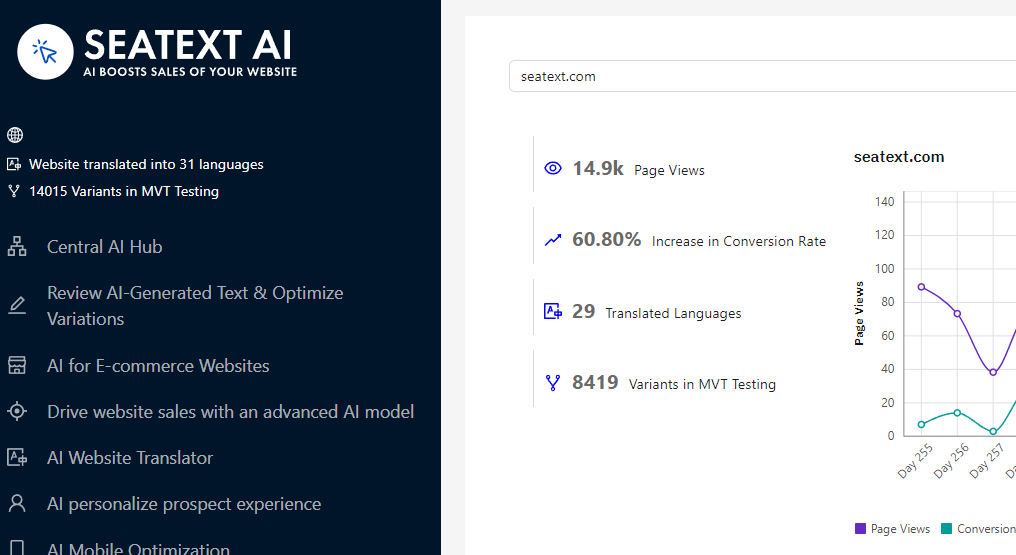
啟用 AI:前往主 AI 中心,在您偏好的頁面啟用所需的 AI。點擊「設定」以調整 AI 參數。可選編輯:SEATEXT AI 提供首輪自動翻譯與變體供測試。登入您的 SEATEXT AI 帳戶,前往左側面板的「變體編輯」,選擇您想編輯的網址與語言。您可以在這裡審查、建立或手動編輯變體的翻譯。
